Playback
•••••
--------------------------
- Do not open the disc
cover
or
the
memory
card slot cover and do not remove the disc
or
memory
card.
- Do not disconnect the
power
source
or
turn
off
the camcorder.
- Do not change the position
of
the
-"
/0
switch
or
the operating mode.
Slideshow
~I
SLiDESHOW
selector the image corresponding to the
number selected will be displayed.
Magnifying
the
Still
Image
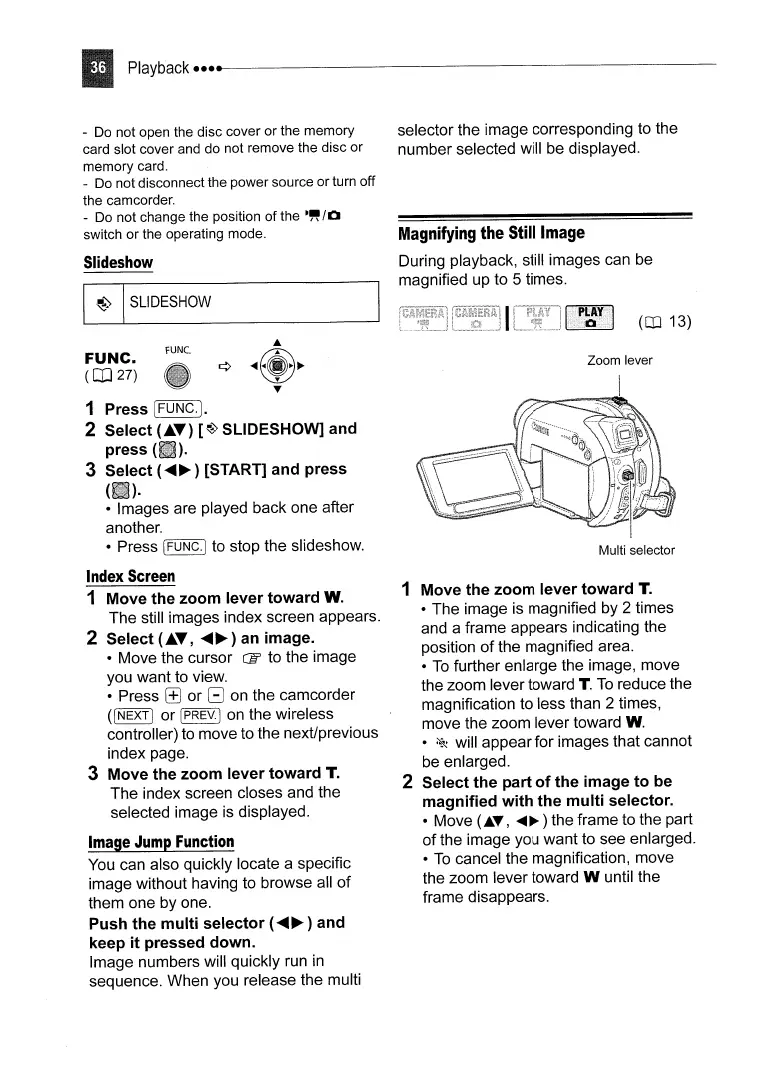
During playback, still images can be
magnified up to 5 times.
(OJ 13)
FUNC.
(CD
27)
rUNe.
Zoom lever
1 Press [FUNC.].
2 Select
(.T)
[~)
SLIDESHOW] and
press (
).
3 Select
(~~
) [START] and press
(
).
• Images are played back one after
another.
• Press IFUNC.] to stop the slideshow.
Index
Screen
1 Move the zoom lever toward W.
The still images index screen appears.
2 Select
(.T,
~~)
an image.
• Move the cursor CB to the image
you want to view.
• Press
r±J
or G on the camcorder
(I
NEXT)
or IPREV.I on the wireless
controller) to move to the next/previous
index page.
3 Move the zoom lever toward T.
The index screen closes and the
selected image is displayed.
Image
Jump
Function
You can also quickly locate a specific
image without having to browse all
of
them one by one.
Push the multi selector
(~~
) and
keep it pressed down.
Image numbers will quickly run
in
sequence. When you release the multi
Multi selector
1 Move the zoom lever toward T.
• The image is magnified by 2 times
and a frame appears indicating the
position
of
the magnified area.
•
To
further enlarge the image, move
the zoom lever toward T.
To
reduce the
magnification to less than 2 times,
move the zoom lever toward W.
•
~
will appear for images that cannot
be enlarged.
2 Select the part
of
the image to be
magnified with the multi selector.
• Move
(AT,
.....
~)
the frame to the part
of
the image you want to see enlarged.
•
To
cancel the magnification, move
the zoom lever toward W until the
frame disappears.



 To Next Page