----------------------e
••••
Menu
Options Lists
..
»
a.
<
Q)
:::s
(')
CD
a.
'TI
c:
:::s
(')
.....
o·
:::s
(J)
L..-I
L--:i9=--h_t
m_e_te_r_in..::...9_
m
_
od
_
e
----.J1
(CD
50)
4f!/'
LINE-IN
MODE
[
..
S VIDEO],
["VIDEO]
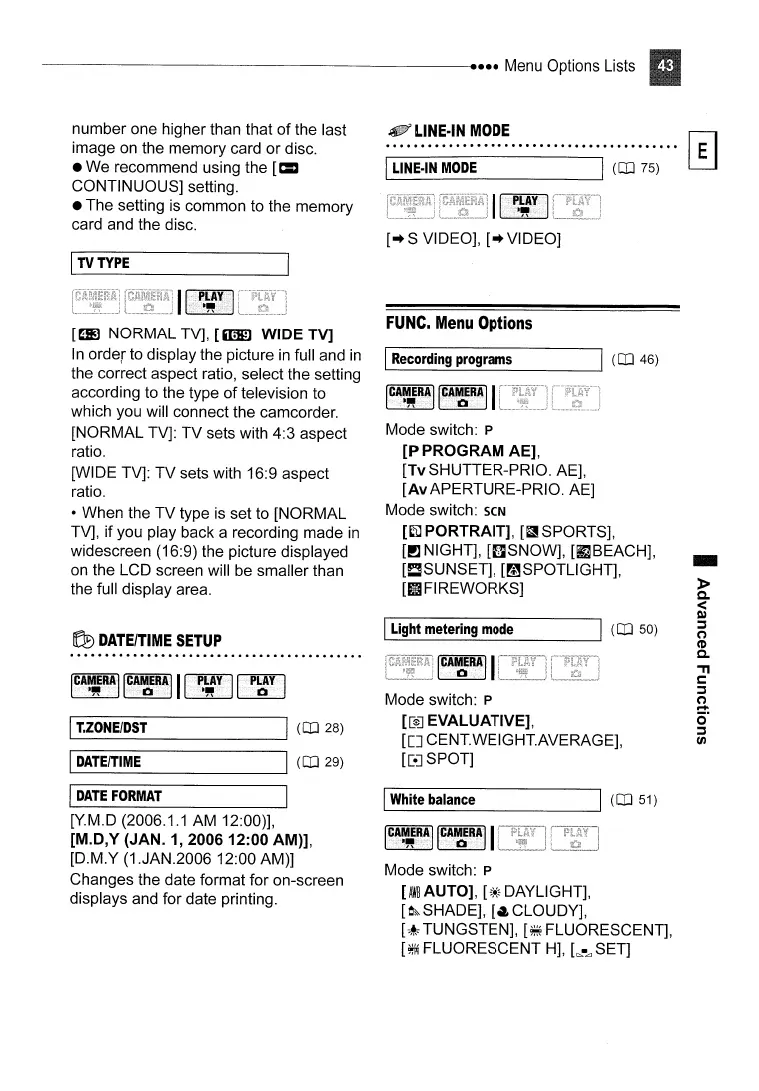
Mode switch: P
[[e]
EVALUATIVE],
[[]
CENT.WEIGHT.AVERAGE],
[[e] SPOT]
FUNC.
Menu
Options
L..-I
R_e_co_rd_in--=9:......:.p_ro-=.9_
ra
_
m
_
s
1
(CD
46)
IC!~R!]
IC~~!AII
Mode switch: P
[P
PROGRAM AE],
[TvSHUTTER-PRIO. AE],
[AvAPERTURE-PRIO. AE]
Mode switch:
seN
[Ei)
PORTRAIT],
[fi!
S
PO
RTS],
[!J NIGHT],
[f]SNOW],
[fJBEACH],
[!:!SUNSET], [mSPOTLlGHT],
[tlFIREWORKS]
IL-W_h_it_e
_ba_la_n_ce
----I\
(CD
51)
1~11!~II~Ir:Il~11
Mode switch: P
[
AW~
AUTO],
[~*~
DAYLIGHT],
[o~SHADE],
[~CLOUDY],
[-~,
TUNGSTEN],
[~FLUORESCENT],
[~
FLUORESCENT
H],
[~
•
.d
SET]
L-
1
L_IN_E_-IN_M_O_D_E
--li
(CD
75)
~
DATE/TIME
SETUP
[Y.M.D (2006.1.1
AM
12:00)],
[M.D,Y (JAN.
1,200612:00
AM)],
[D.M.Y (1.JAN.2006 12:00 AM)]
Changes the date format for on-screen
displays and for date printing.
[~
NORMAL TV],
[mJID
WIDE TV]
In
order to display the picture
in
full and
in
the correct aspect ratio, select
the
setting
according to the type
of
television to
which you will connect the camcorder.
[NORMAL TV]: TV sets with 4:3 aspect
ratio.
[WIDE TV]: TV sets with 16:9 aspect
ratio.
• When the TV type
is
set to [NORMAL
TV], if you play back a recording made
in
widescreen (16:9) the picture displayed
on
the LCD screen will
be
smaller than
the full display area.
number one higher than that of the last
image
on
the memory card or disc.
• We recommend using the
[=
CONTINUOUS] setting.
• The setting
is
common to the memory
card and the disc.
I
TV
TYPE
L-I
T._"Z_ON_E_/D_ST
I
(CD
28)
IL--D_AT_EIT_I_M_E
----11
(CD
29)
I
DATE
FORMAT



 To Next Page