----------------------__e
••••
Using the Menus
Selecting
a
FUNC.
Menu
Option
@
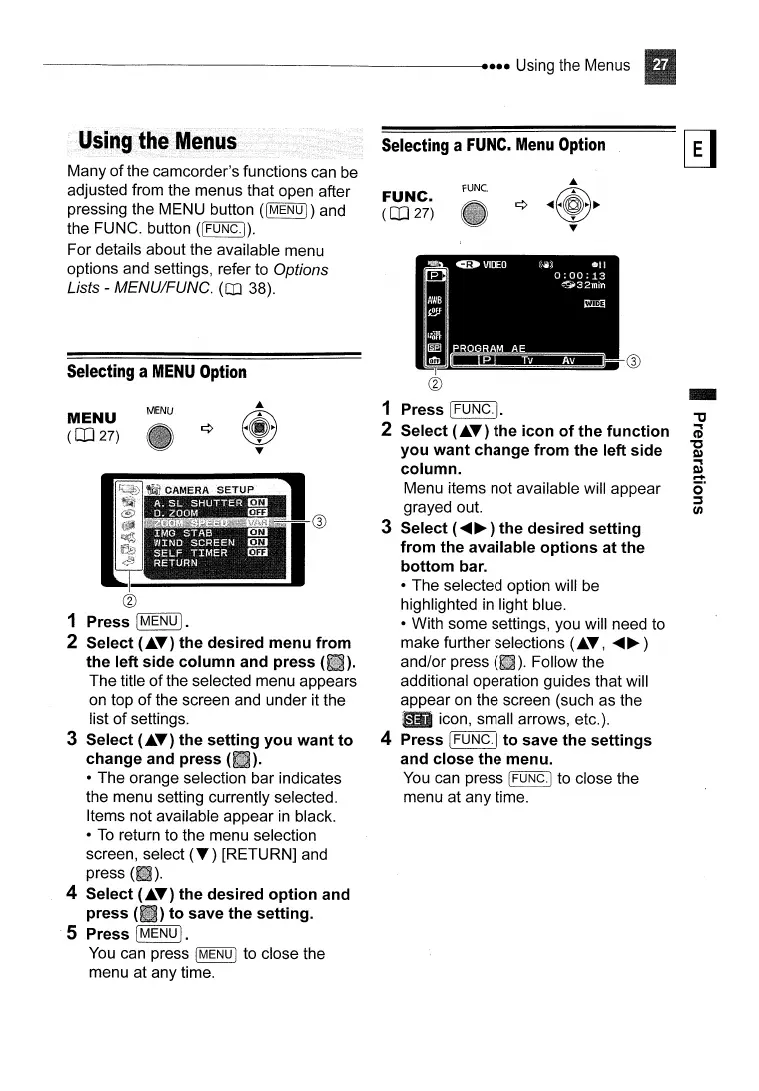
1 Press [MENU
I.
2 Select
(~T)
the desired menu from
the left side column and press
(liD.
The title
of
the selected menu appears
on top
of
the screen and under it the
list
of
settings.
3 Select
(~T)
the setting you want to 4
change and press (
).
• The orange selection bar indicates
the menu setting currently selected.
Items not available appear
in
black.
•
To
return to the menu selection
screen, select
(T)
[RETURN] and
press
4 Select
(~T)
the desired option and
press
(II)
to save the setting.
S Press
[MENU].
You
can press I
MENU
I to close the
menu at any time.
FUNC.
FUNC.
(CO
27)
1
2
MENU
Many
of
the camcorder's functions can be
adjusted from the menus that open after
pressing the MENU button
([MENU])
and
the FUNC. button
([FUNC.j).
For details about the available menu
options and settings, refer to Options
Lists - MENU/FUNG.
(Q] 38).
Selecting
a
MENU
Option
MENU
(CO
27)



 To Next Page