----------------------_e
••••
Recording Programs
IFUNC·I ¢:J IDesired option
-
»
c.
<
Q),
~
(')
(1)
C.
."
c::
~
(')
r+
(5"
~
tJ)
(OJ
13)
eli)
P~SCN
FUNe.
IC~t#RAIIC~'::RAII
Mode switch: P
FUNC.
(OJ
27)
P
Programmed
Auto
Exposure
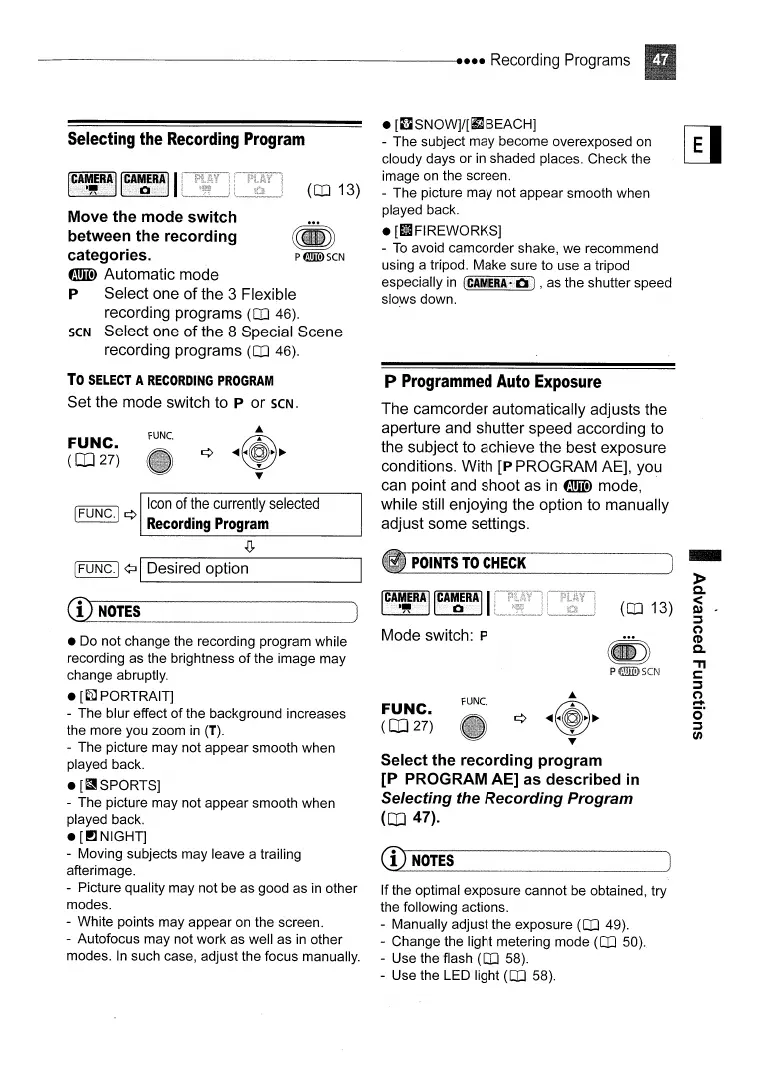
The camcorder automatically adjusts the
aperture and shutter speed according to
the subject to achieve the best exposure
conditions. With
[P PROGRAM AE], you
can point and shoot as
in
f!IlID
mode,
while still enjoying the option to manually
adjust some settings.
If the optimal exposure cannot be obtained, try
the following actions.
- Manually adjust the exposure
(OJ
49).
- Change the light metering mode
(OJ
50).
- Use the flash
(OJ
58).
- Use the LED light
(OJ
58).
Select the
recording
program
[P
PROGRAM AE] as
described
in
Selecting
the
Recording
Program
(CD
47).
CD
NOTES
~..----------_.-----_
............
POINTS
TO
CHECK
•
[IlSNOW]/[iJ
BEACH]
- The subject may become overexposed on
cloudy days or
in
shaded places. Check the
image
on
the screen.
- The picture may not appear smooth when
played back.
•
[tlFIREWORKS]
-
To
avoid camcorder shake, we recommend
using a tripod. Make sure to use a tripod
especially
in
(CAMERA·
D)
, as the shutter speed
sloyvs
down.
(OJ
13)
~
pfiIDIDSCN
FUNe.
Icon
of
the
currently
selected
IFUNC.] ¢
Recording
Program
•
Do
not change the recording program while
recording as the brightness
of
the image may
change abruptly.
•
[~PORTRAIT]
- The blur effect of the background increases
the more you zoom
in
(T).
- The picture may not appear smooth when
played back.
•
[a
SPORTS]
- The picture may not appear smooth when
played back.
•
[I!lNIGHT]
- Moving subjects may leave a trailing
afterimage.
- Picture quality may not be as good as
in
other
modes.
- White points may appear on the screen.
- Autofocus may not work as well as
in
other
modes.
In
such case, adjust the focus manually.
FUNC.
(OJ
27)
CD
NO!~
..
....
~
Move
the
mode
switch
between the
recording
categories.
f!IlID
Automatic mode
P Select one
of
the 3 Flexible
recording programs
(OJ
46).
SCN
Select one
of
the 8 Special Scene
recording programs
(OJ
46).
To
SELECT
A
RECORDING
PROGRAM
Set the mode switch to P or
SCN.
Selecting
the
Recording
Program
I
CAMERA
I
."



 To Next Page