Printing Document in Printer's Memory
You can print a specified document in the printer's memory or print all the received documents in its memory
at a time.
When printing a specified document, you specify it by its transaction number. If you do not know the
transaction number for your target document, print the list of documents (MEMORY LIST) first.
1.
Make sure that printer is turned on.
2.
Load paper.
3.
Flick HOME screen, and then tap FAX.
Using the Operation Panel
The Fax standby screen is displayed.
4.
Tap Function list.
The Function list screen is displayed.
5.
Tap Memory reference.
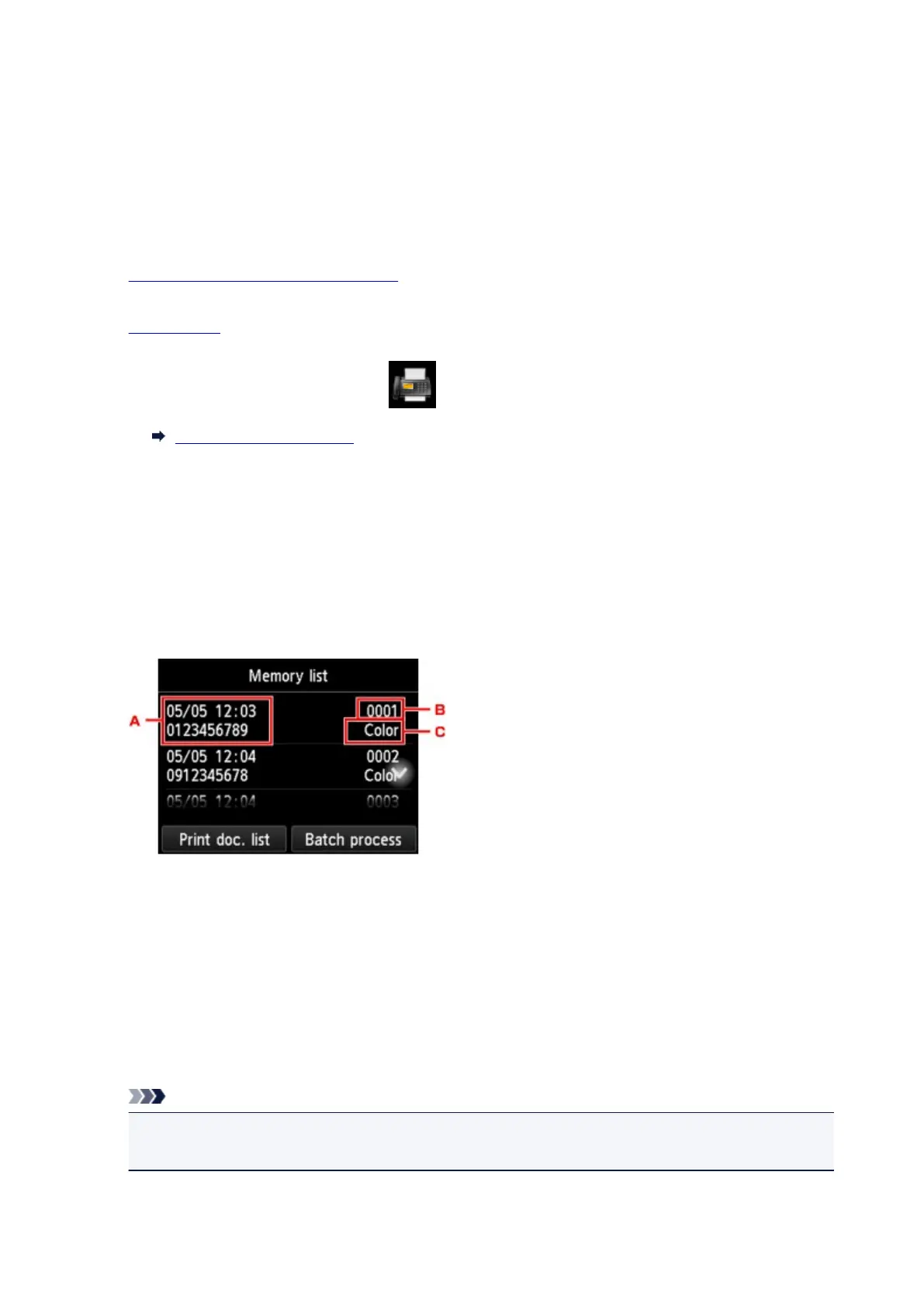
The memory list is displayed.
A.
Date and time of transaction and fax/telephone number
B.
Transaction number (TX/RX NO.)
A transaction number from "0001" to "4999" indicates a document being sent.
A transaction number from "5001" to "9999" indicates a document being received.
C.
Color information
Color is displayed for color transmission/reception. Nothing is displayed for black & white
transmission/reception.
Note
•
If no document is stored in the printer's memory, There is no document in memory. is displayed.
Tap OK to return to the previous screen.
1014









 To Next Page