Adjusting Saturation and Color Balance
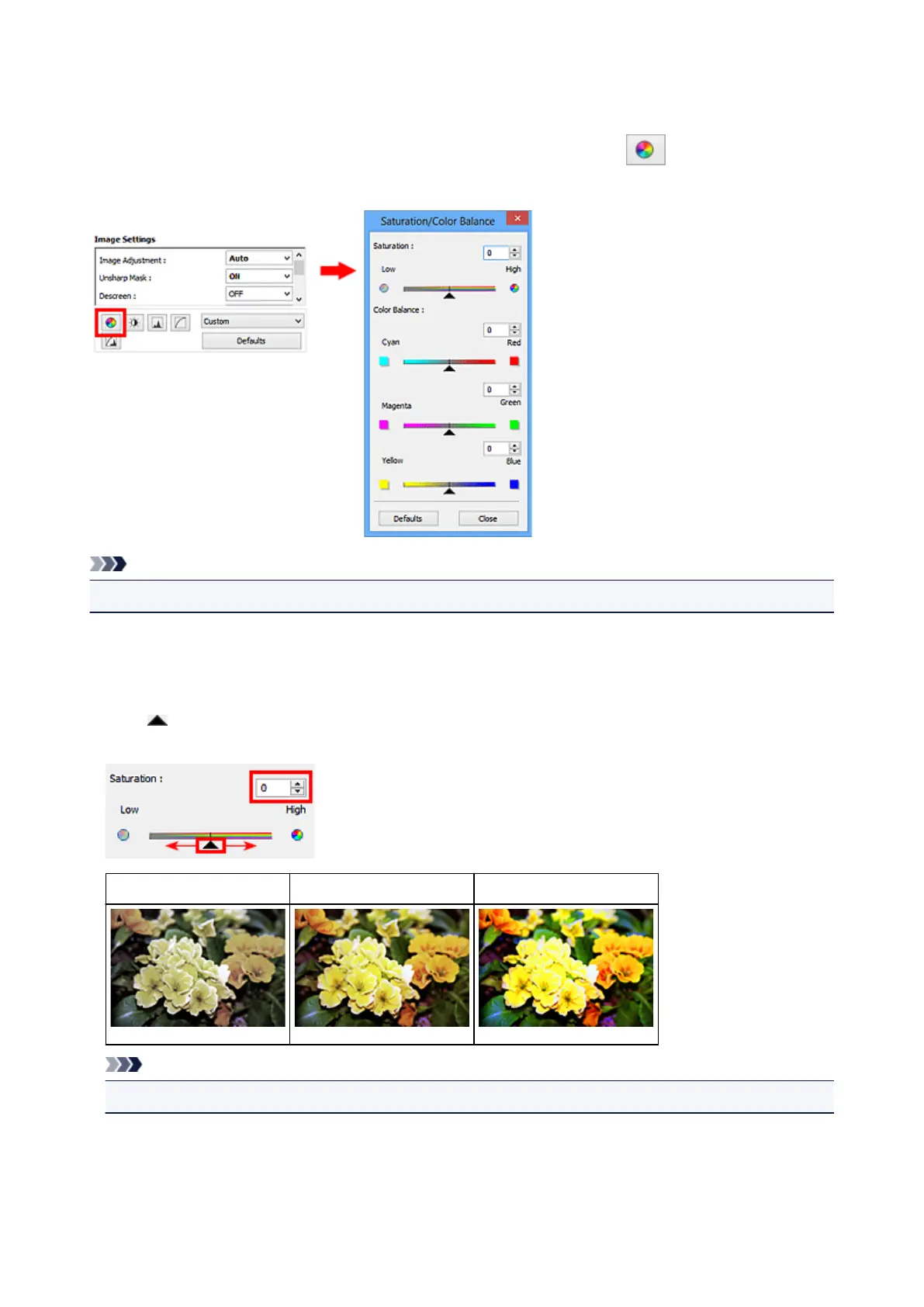
You can brighten colors that have faded with time or due to colorcast by using (Saturation/Color
Balance) in ScanGear (scanner driver)'s Advanced Mode tab.
Note
• Click Defaults to reset all adjustments in the current window.
Saturation
Adjust the image's saturation (vividness). You can brighten colors that have faded with time, etc.
Move (Slider) under Saturation to the left to decrease the saturation (darken the image), and to the
right to increase the saturation (brighten the image). You can also enter a value (-127 to 127).
Saturation decreased Original image Saturation increased
Note
• The natural color tone of the original image may be lost if you increase saturation too much.
794



 To Next Page