Changing a Fax/telephone Number Using Speed Dial Utility2
Follow the procedure below to change fax/telephone numbers.
Note
• Before you change fax/telephone numbers using Speed Dial Utility2, make sure that no fax operations
are in progress.
1.
Start up Speed Dial Utility2.
2.
Select a printer from Printer Name: list box, and then click Display Printer Settings.
3.
Click TEL Number Registration from Setting Item List:.
The list of registered fax/telephone numbers is displayed.
4.
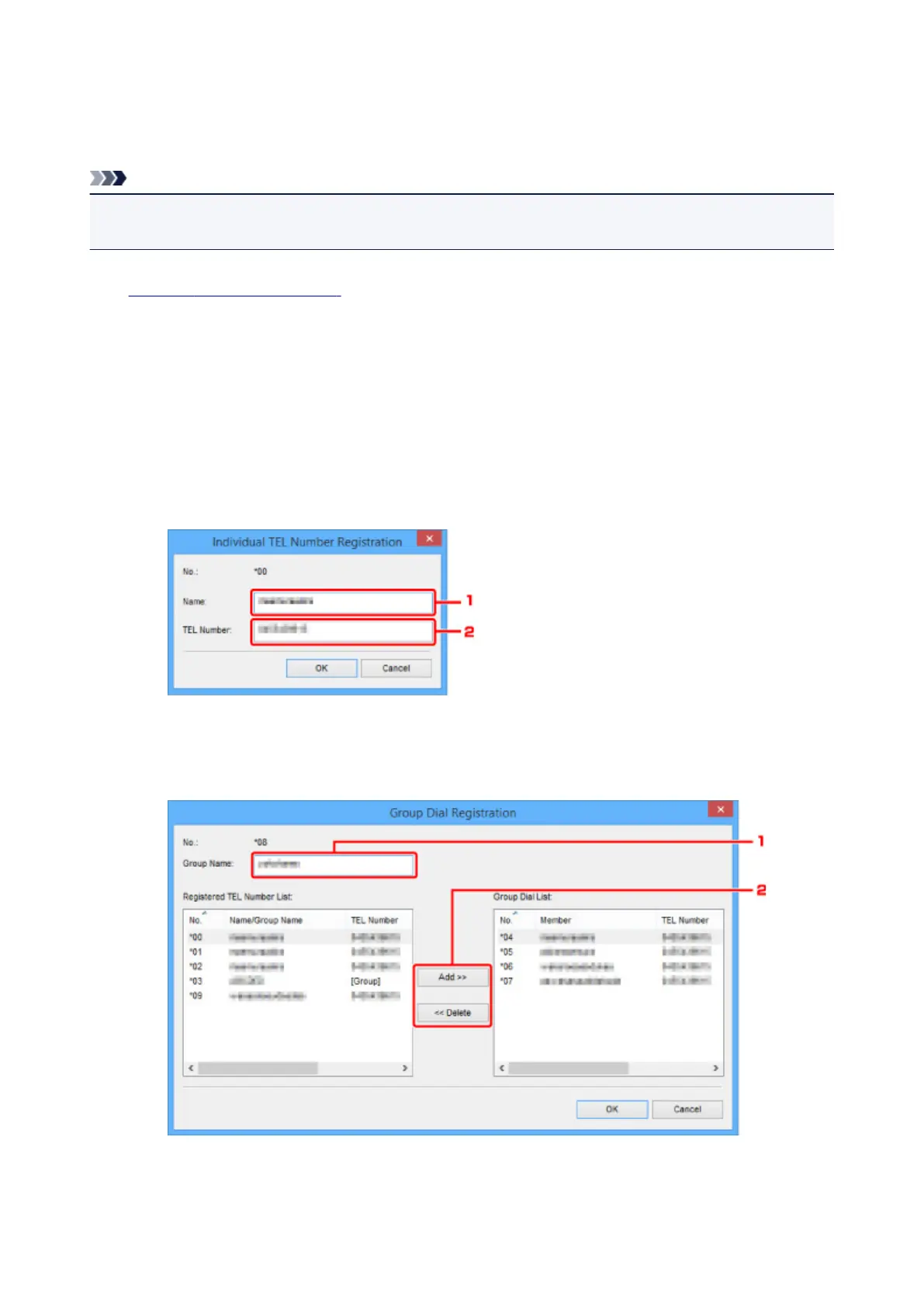
Select a code to change from list, and then click Edit....
• If an individual fax/telephone number is selected:
1. Enter a new name.
2. Enter a new fax/telephone number.
• If a group dial is selected:
1.
Enter a new group name.
982









 To Next Page