Two-Sided Copying
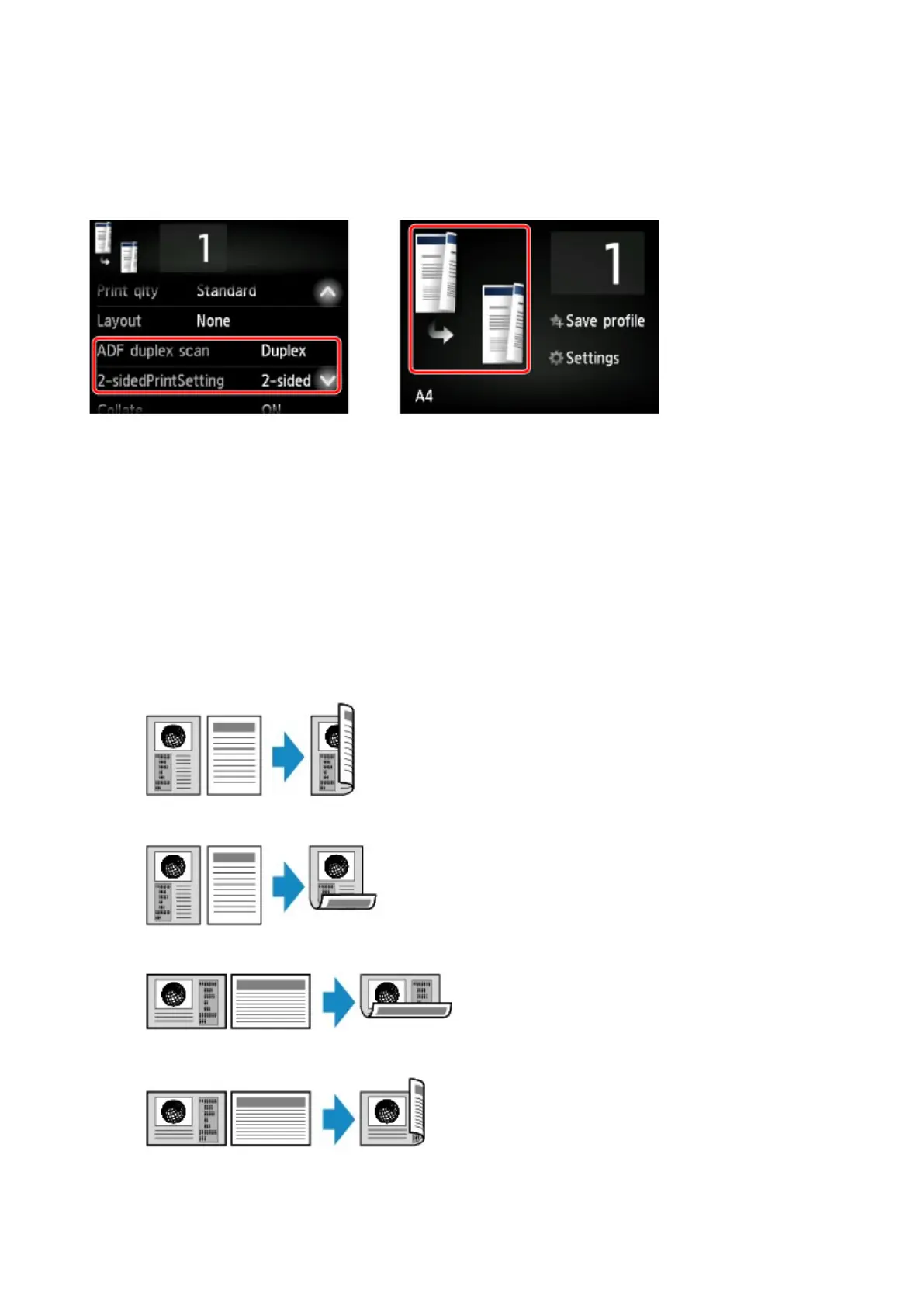
When you select 2-sided for 2-sidedPrintSetting in Copy, you can copy two original pages onto the both
sides of a single sheet of paper.
In addition, when you select Duplex for ADF duplex scan, you can perform duplex scanning.
Specify the place to load originals or copy settings according to the two-sided copying method.
• Single-sided to Two-sided
Place to load the original: platen glass or ADF
ADF duplex scan: Simplex
2-sidedPrintSetting: 2-sided
When you tap Advanced after tapping 2-sided for 2-sidedPrintSetting, you can select the orientation
and the stapling side of the paper. Also, you can select whether to display the preview screen when you
load the original on the platen glass.
◦ When you select Orientation: Portrait and Output: Long side bind:
◦ When you select Orientation: Portrait and Output: Short side bind:
◦ When you select Orientation: Landscape and Output: Long side bind:
◦ When you select Orientation: Landscape and Output: Short side bind:
648









 To Next Page