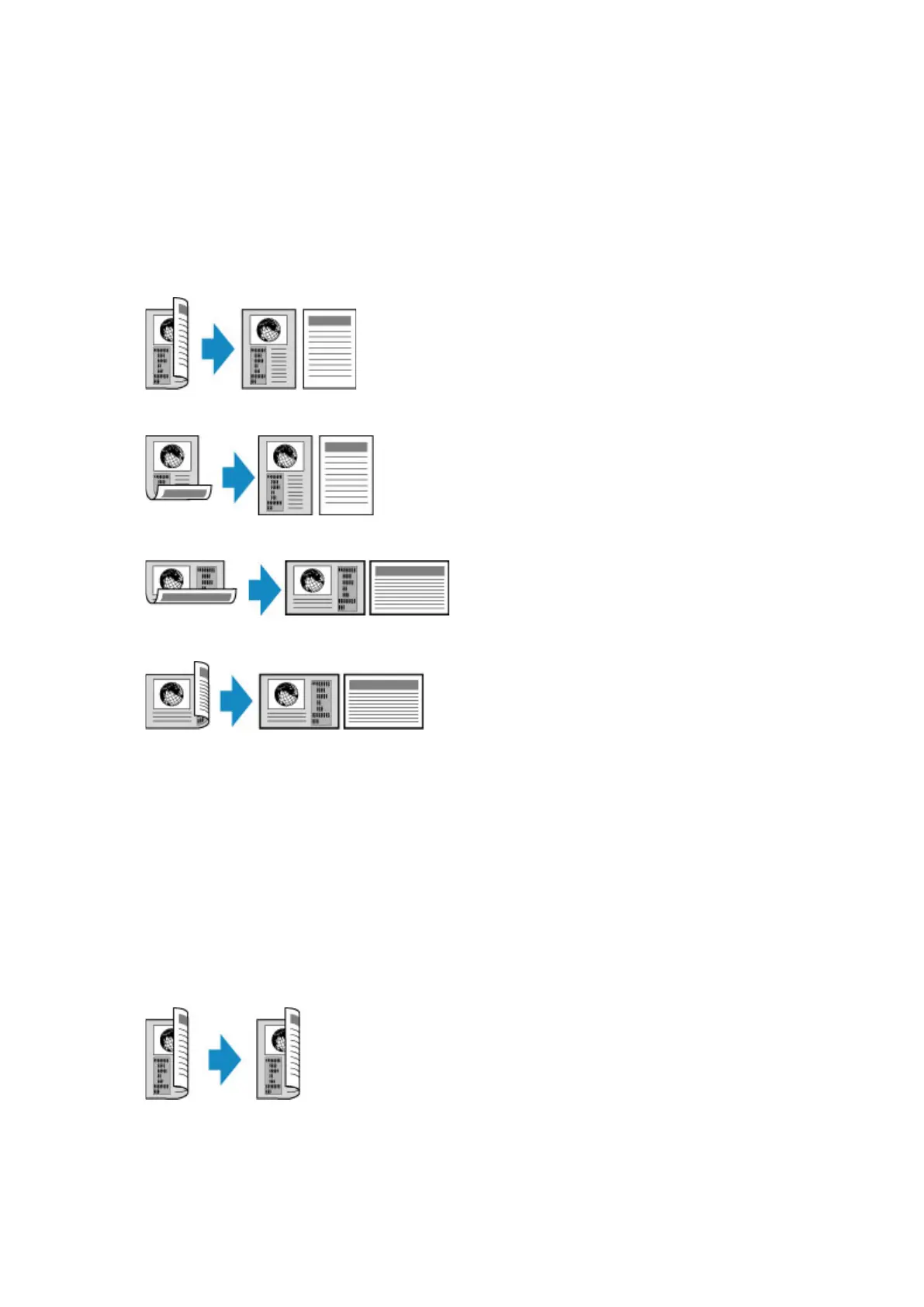
• Two-sided to Single-sided
Place to load the original: ADF
ADF duplex scan: Duplex
2-sidedPrintSetting: 1-sided
When you tap Advanced after tapping Duplex for ADF duplex scan, you can select the orientation and
the stapling side of the original.
◦ When you select Orientation: Portrait and Original: Long side bind:
◦ When you select Orientation: Portrait and Original: Short side bind:
◦ When you select Orientation: Landscape and Original: Long side bind:
◦ When you select Orientation: Landscape and Original: Short side bind:
• Two-sided to Two-sided
Place to load the original: ADF
ADF duplex scan: Duplex
2-sidedPrintSetting: 2-sided
When you select Duplex for ADF duplex scan and tap Advanced, you can select the orientation and
the stapling side of the original. When you select 2-sided for 2-sidedPrintSetting and tap Advanced,
you can select the orientation and the stapling side of the paper.
◦ When you select Orientation: Portrait for the orientation and Original: Long side bind and
Output: Long side bind for the stapling side:
◦ When you select Orientation: Portrait for the orientation and Original: Short side bind and
Output: Short side bind for the stapling side:
649









 To Next Page