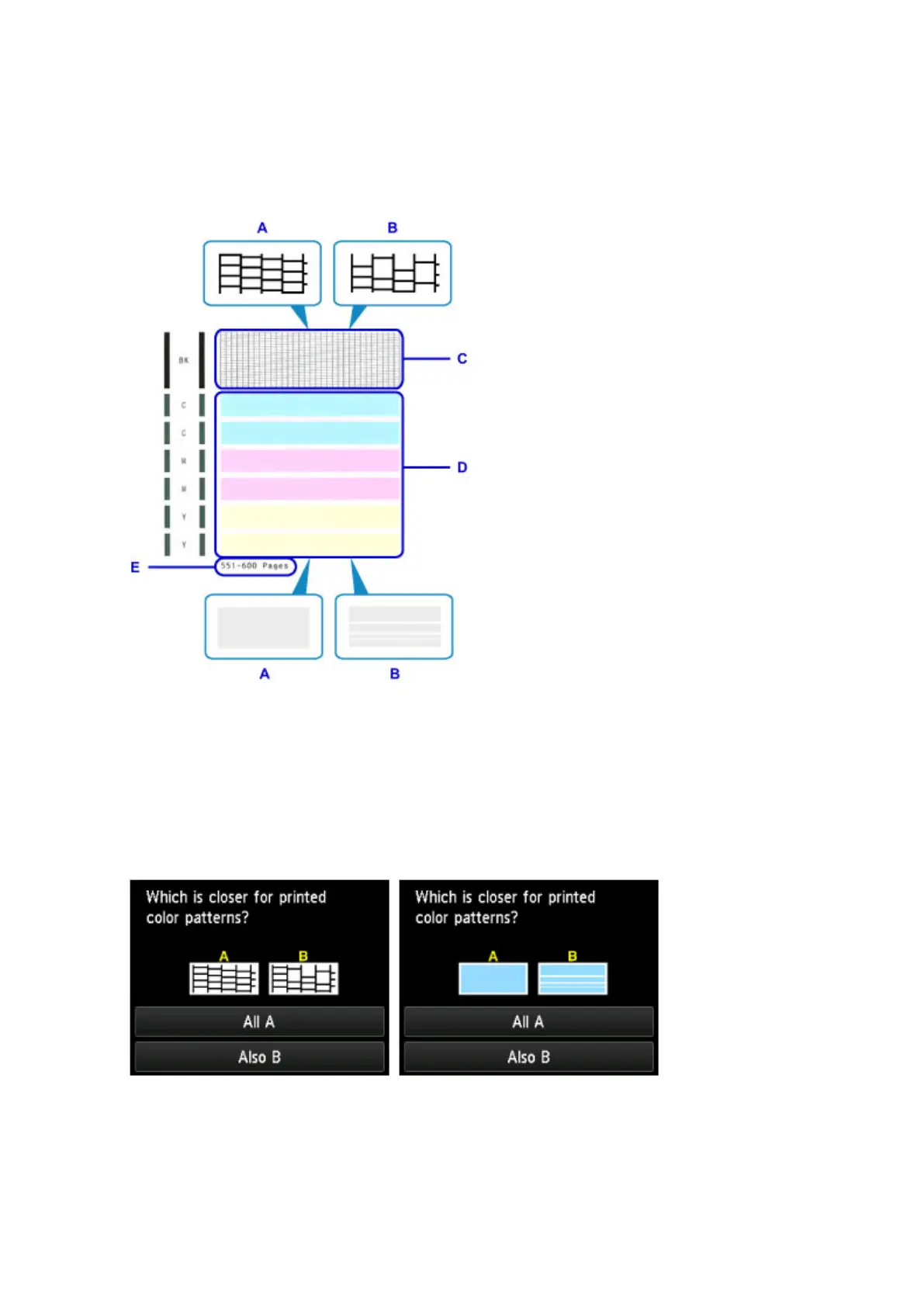
Examining the Nozzle Check Pattern
Examine the nozzle check pattern and clean the print head if necessary.
1. Check for any missing lines in pattern C or horizontal white streaks in pattern D.
A: No missing lines or horizontal white streaks
B: Some missing lines and horizontal white streaks
E: Number of pages printed to date
2.
On the checking screen, select patterns that most resemble the printed nozzle check
pattern.
In the case of A (no missing lines or horizontal white streaks) in both patterns (C and D):
No cleaning is required. Tap All A, check the message, and then tap OK.
The Maintenance screen is now displayed again.
208









 To Next Page