Deleting Scanned Data on USB Flash Drive
You can delete scanned data on the USB flash drive using the operation panel.
1. Make sure printer is turned on.
2. Flick HOME screen and tap Scan.
Using the Operation Panel
The screen for selecting to which you save the data is displayed.
3.
Insert USB flash drive into USB flash drive port.
4.
Tap USB flash drive.
Note
• When the message informing you that the operation restriction is enabled, ask the administrator of
the printer you are using.
5.
Tap Delete saved data.
The file list is displayed.
6.
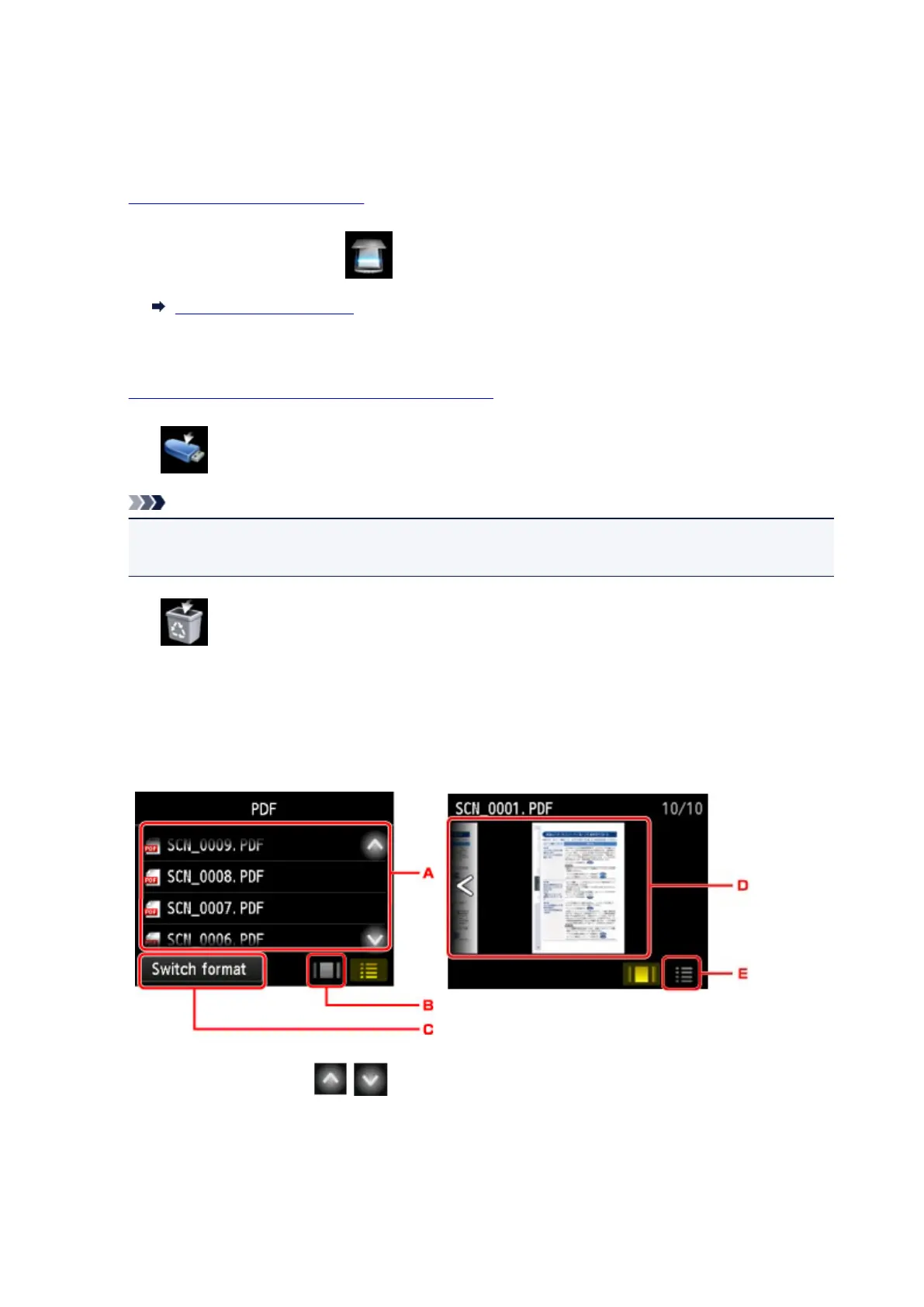
Select data to delete.
File name list Preview screen
A.
Flick vertically or tap to display the file name and tap to delete the data.
When the format for PDF data is selected, only the first page of the PDF data is displayed on the
touch screen.
B.
Tap to display the preview screen.
910









 To Next Page