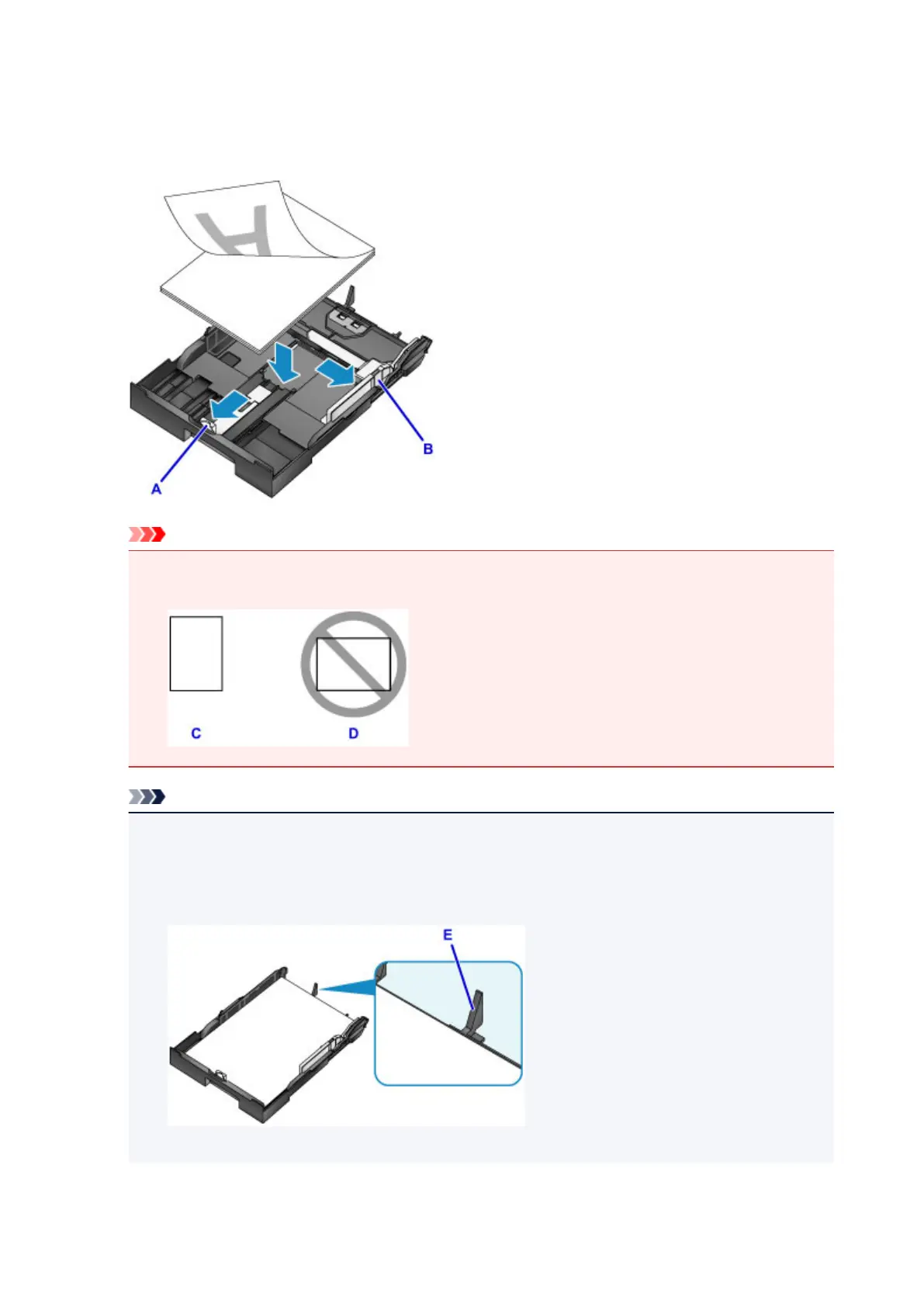
3. Slide the front (A) and right (B) paper guides out to make room for the paper.
4. Load the stack of paper printing-side DOWN, centered on the cassette.
Important
• Always load paper in portrait orientation (C). Loading paper in landscape orientation (D) may
cause paper jams.
Note
• Some paper such as photo paper has distinct top and bottom surfaces. Load this paper with the
whiter or glossy side facing down.
•
Align the stack of paper with the edge of the cassette as shown.
Feeding problems may occur if the paper is touching the protrusion (E).
•
To load paper 5" x 7" (13 x 18 cm) or smaller, lift the tab (F) on the paper guide.
176









 To Next Page