Note
• If a warning about ink tank replacement appears, check the message and tap OK.
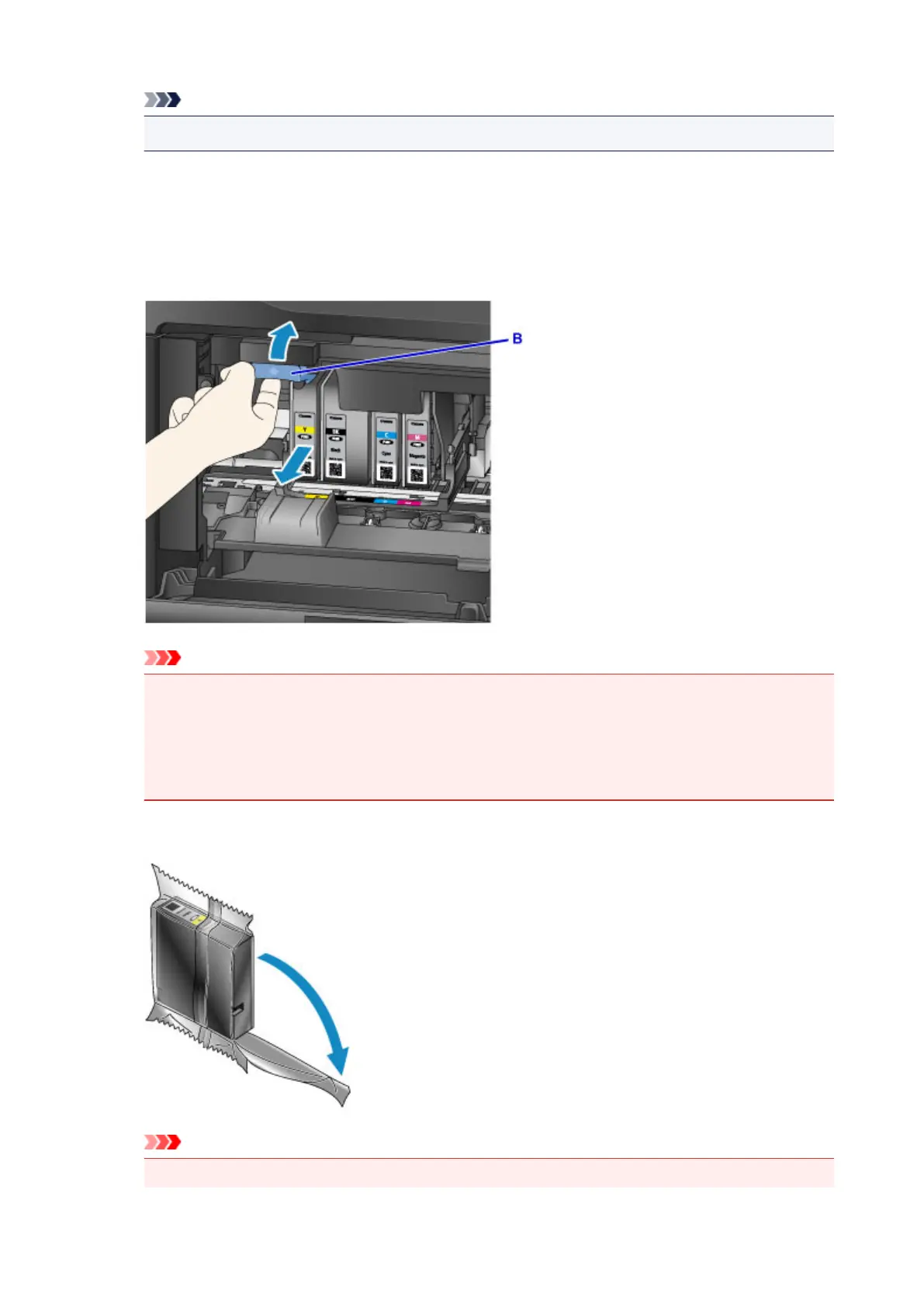
2. Once the ink tank for replacement is identified on the touch screen, push up the ink tank
eject lever (B).
The ink tank is ejected.
To replace another ink tank, tap Next to display the screen for the next ink tank to replace.
Important
• Place the removed ink tank into a plastic bag immediately after removing from the machine.
Otherwise, ink residue may stain your clothes or the surrounding area.
• Do not touch parts other than ink tanks.
•
Follow local regulations when discarding used ink tanks.
• Handle ink tanks carefully. Do not drop them or press hard on them.
3.
Remove the ink tank from the package.
Important
•
Do not touch the contact (C) or interface (D) of the ink tank.
197










 To Next Page