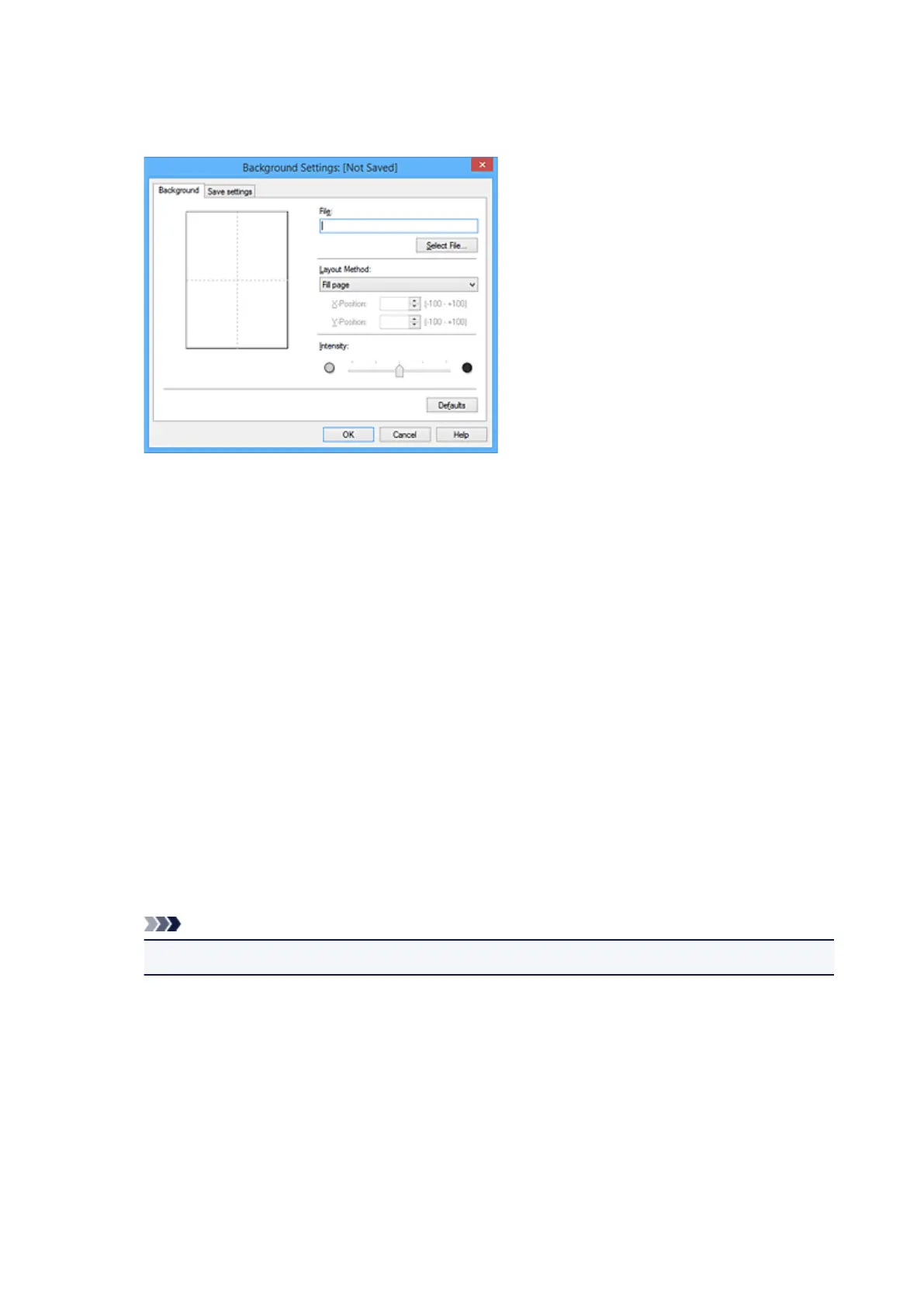
3. Click Select Background...
The Background Settings dialog box opens.
4.
Select the image data to be registered to the background
Click Select File.... Select the target bitmap file (.bmp), and then click Open.
5.
Specify the following settings while viewing the preview window
Layout Method
Select how the background image data is to be placed.
When Custom is selected, you can set coordinates for X-Position and Y-Position.
You can also change the background position by dragging the image in the preview window.
Intensity
Set the intensity of the background image data with the Intensity slider. Moving the slider to the
right darkens the background, and moving the slider to the left lightens the background. To print
the background at the original bitmap intensity, move the slider to the rightmost position.
6.
Save the background
Click the Save settings tab and enter a title in the Title box, and then click Save.
Click OK when the confirmation message appears.
Note
•
Spaces, tabs, and returns cannot be entered at the beginning or end of a title.
7. Complete the setup
Click OK, then it returns to Stamp/Background dialog box.
The registered title appears in the Background list.
Changing and Registering Some Background Settings
1. Select the background for which the settings are to be changed
486









 To Next Page