Adjusting Tone Curve
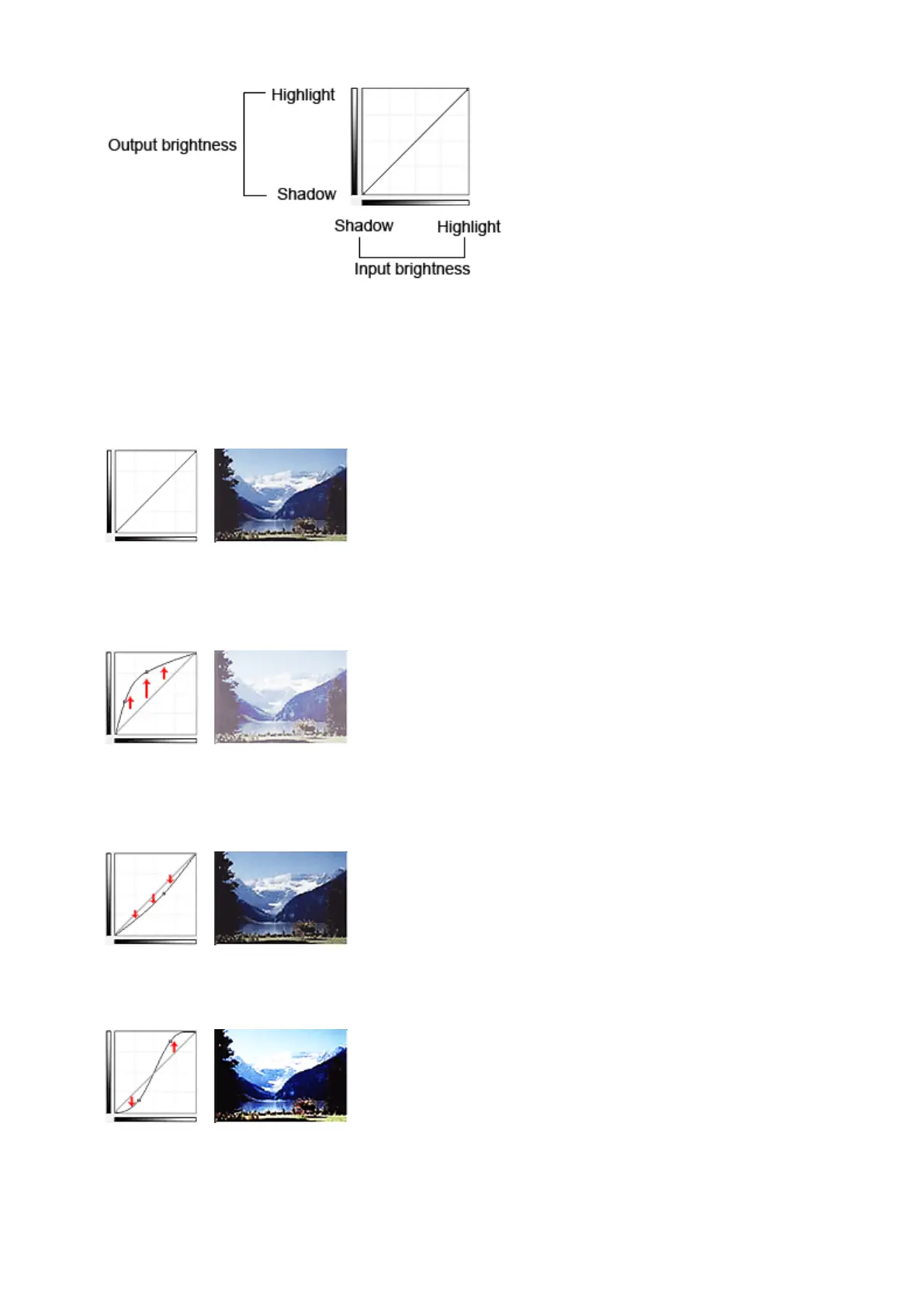
In Select Tone Curve, select a tone curve from No correction, Overexposure, Underexposure, High
contrast, Reverse the negative/positive image, and Edit custom curve.
No correction (No adjustment)
Overexposure (Convex curve)
The midtone data of the input side is stretched toward the highlight of the output side, resulting in a bright-
toned image when viewed on a monitor.
Underexposure (Concave curve)
The midtone data of the input side is stretched toward the shadow of the output side, resulting in a dark-
toned image when viewed on a monitor.
High contrast (S curve)
The highlight and shadow of the input side are enhanced, resulting in a high-contrast image.
804









 To Next Page