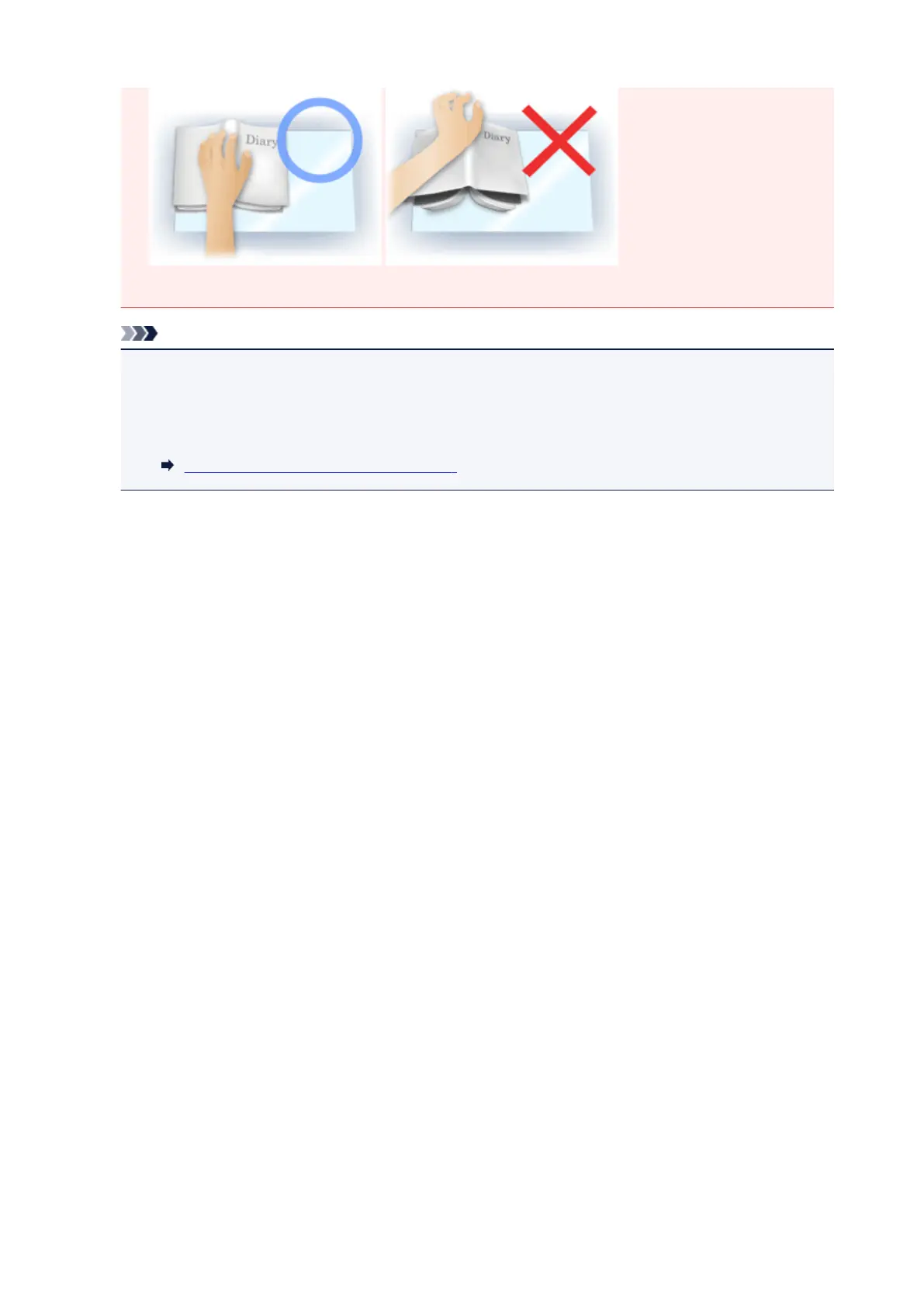
• How to place the document depends on your model and the document to be scanned.
Note
• Cover the document with black cloth if white spots, streaks, or colored patterns appear in scan
results due to ambient light entering between the document and the Platen.
• If the shadow is not corrected properly, adjust the cropping frame (scan area) on the preview
image.
Adjusting Cropping Frames (ScanGear)
832



 To Next Page