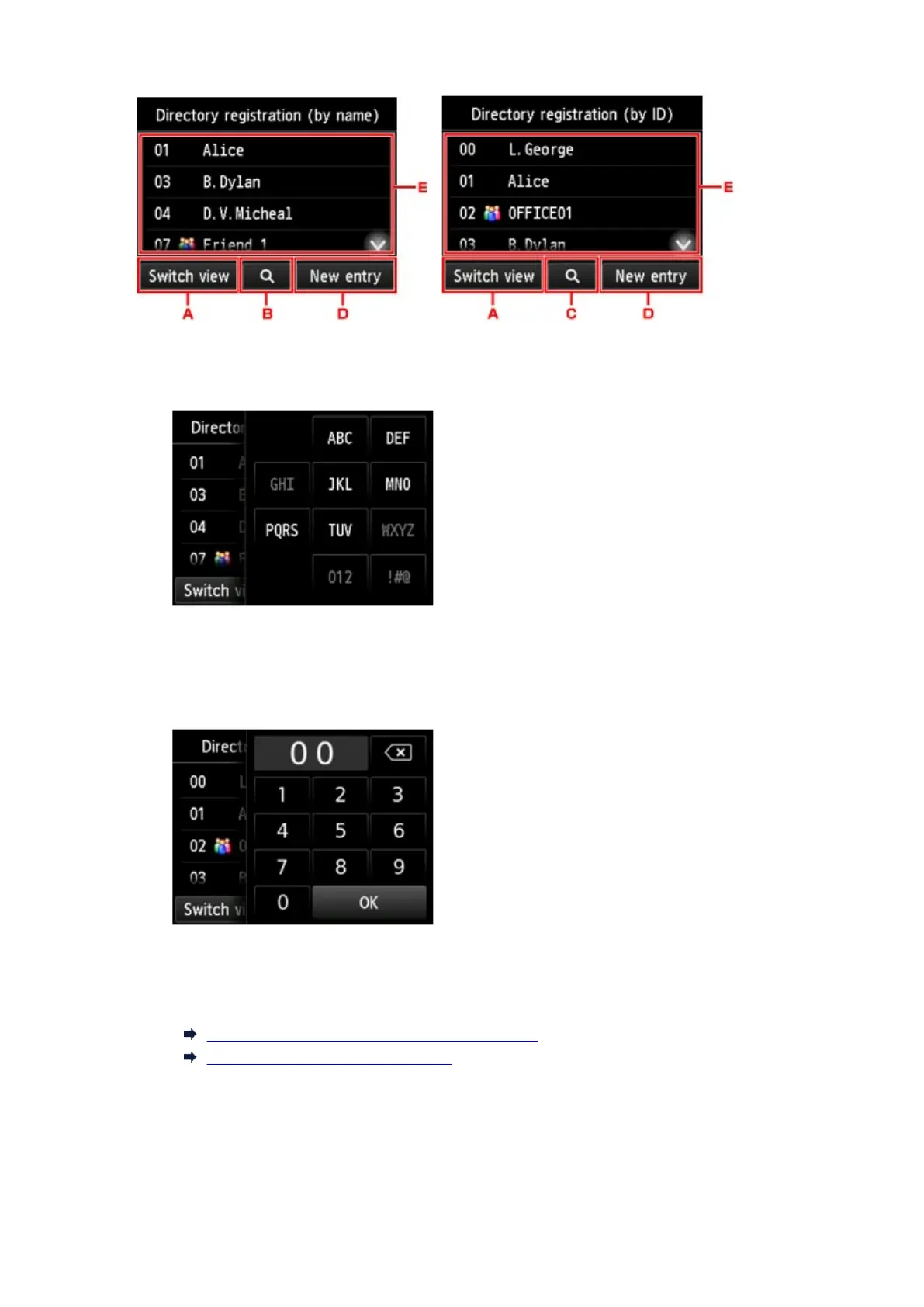
A.
Tap to switch the display by name and by ID number.
B.
Tap to display the screen to select an initial. You can search the registered recipient by initial.
By selecting the initial, the registered recipients are displayed in alphabetical order from the
selected character.
C.
Tap to display the screen to select an ID number of the registered recipient. You can search the
registered recipient by ID number.
By enter the ID number and tapping OK, the registered recipients are displayed in order from the
recipient of the ID number selected.
D.
Tap to register a new recipient or a new group dial.
Registering Fax/Telephone Number of Recipients
Registering Recipients in Group Dial
E.
Tap to select a registered recipient.
7. Tap Send FAX as operation for selected recipient.
The touch screen returns to the Fax standby screen.
951









 To Next Page