160 SECTION 55 - ELECTRICAL SYSTEM
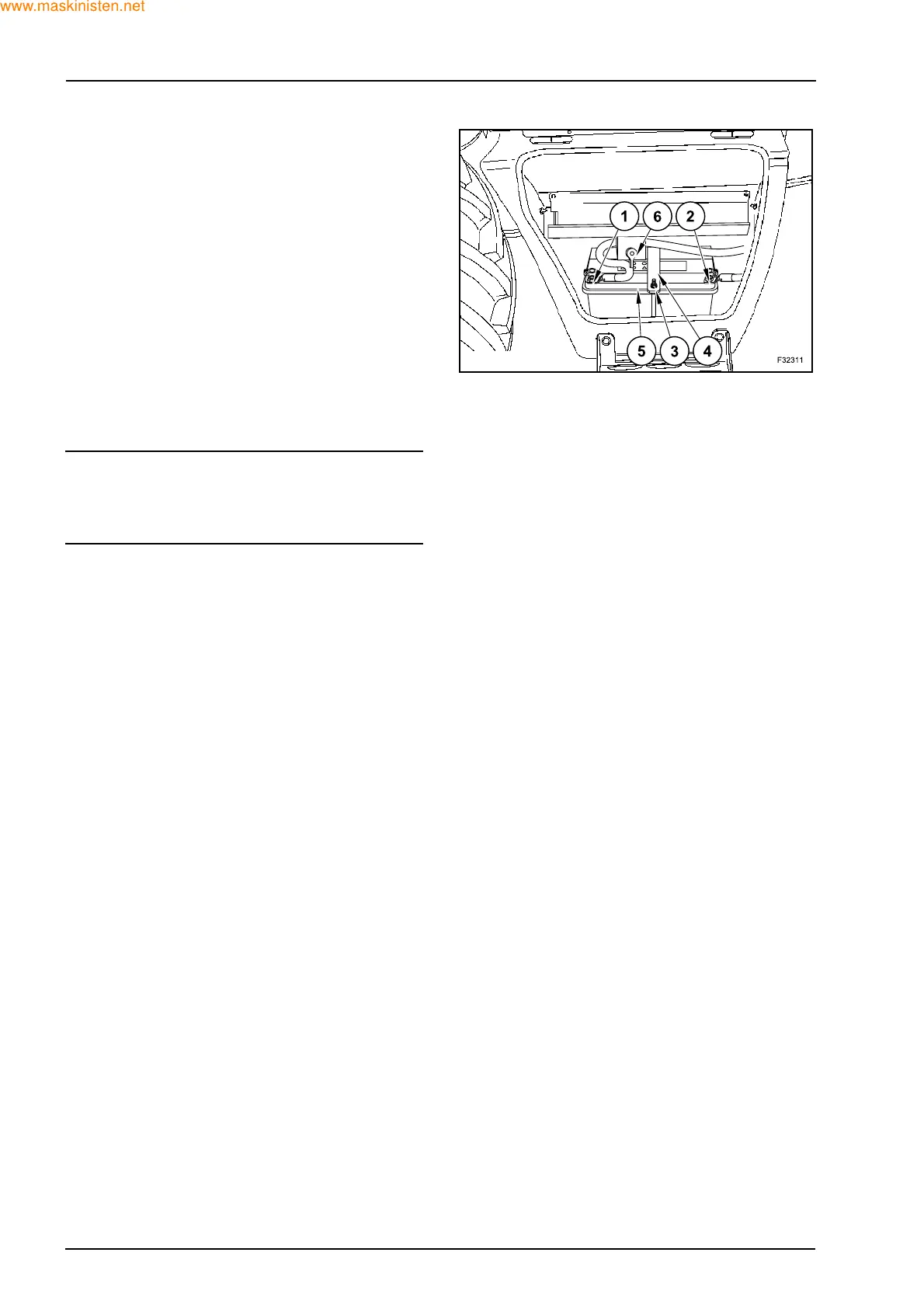
Z Remove the battery master switch support (6) with-
out disconnect the battery cables.
Z Remove the terminal covers and disconnect the
cables, first from the negative terminal (1) then the
positive terminal (2).
Z Remove the nuts and washers (3), the clamping
bar (4) and the brackets (5) and remove the old bat-
tery.
Z Install the new battery.
Z Install the brackets (5), the clamping bar (4) and the
washers and nuts (3).
Z Clean the cables and the connecting terminals and
coat them with grease.
Z Connect the cables, first to the positive terminal (2),
then the negative terminal (1) and install the termi-
nal covers.
Z Remove the battery master switch support (6).
SWARNING
Never reverse the battery terminals. Connect the
positive cable to the positive terminal (+) and the
negative cable to the negative terminal (-).



 To Next Page