SECTION 33 - BRAKES SYSTEM 13
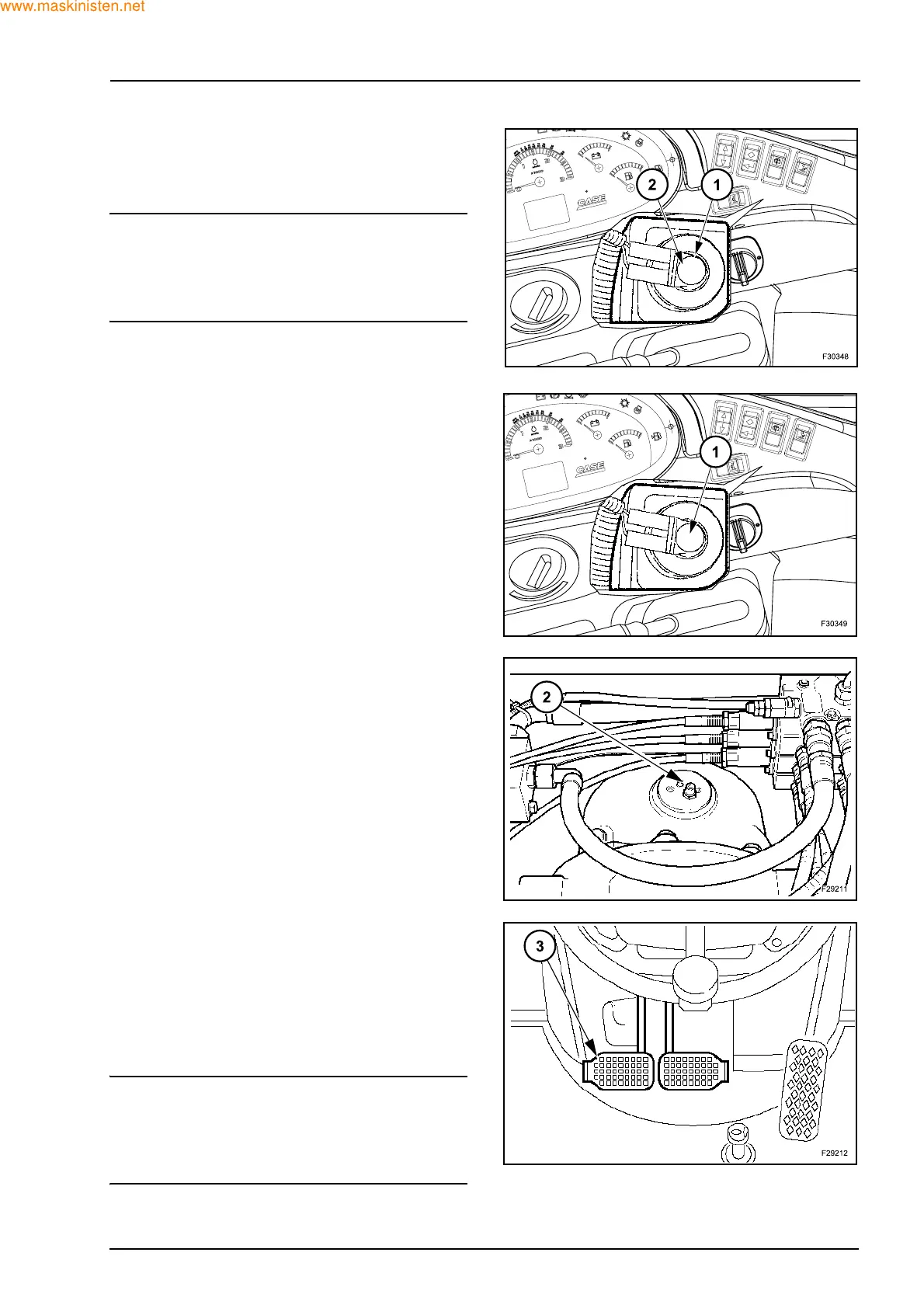
4. OIL BRAKE TANK
1. Oil brake tank
2. Low level switch
NOTE: to test the warning light system, press the low
level button on the tank cap. The lamp illuminated is
that of the parking brake, mounted on the right-hand
instrument console; it indicates that the parking
brake is disengaged.
5. BLEEDING PROCEDURE
1. Oil brake tank is full (1)
2. Open left hand brake bleed valve (2)
3. Press repeatedly on both brake pedals (3) to
purge the system
4. Hold pedals down
5. Lock bleed valve (2)
6. Release pedals
7. Repeat steps 4-6
8. Repeat steps 2-6 on right hand brake
9. Test brakes repeat if necessary
NOTE: when the brake pedals are operated, both to-
gether, the electrical supply to the front wheel drive
switch is cut. In this way the clutch de-energizes thus
engaging the front wheel drive, providing four wheel
braking.



 To Next Page