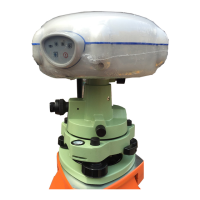
Users can USB Cable supplied with the system to download
the logged data to a computer.
The OTG Cable supplied with the system can be used to
upgrade the receiver firmware by connecting the receiver
to a USB flash disk, or directly log the static data to a USB
flash disk.
2.3. BATTERIES AND POWER
2.3.1. INTERNAL BATTERIES
The receiver has two rechargeable Lithium-ion batteries, which can be
removed for charging.
2.3.1.1. Charging the battery
The rechargeable Lithium-ion battery is supplied partially charged. Charge
the battery completely before using it for the first time. To charge the
battery, first remove the battery from the receiver, and then place it in the
battery charger, which is connected to AC power.
WARNING - Charge and use the rechargeable Lithium-ion battery only in
strict accordance with the instructions. Charging or using the battery in
unauthorized equipment can cause an explosion or fire, and can result in
personal injury and/or equipment damage.
To prevent injury or damage:
• Do not charge or use the battery if it appears to be damaged or leaking.
• Charge the Lithium-ion battery only in a CHC product that is specified
to charge it. Be sure to follow all instructions that are provided with the
battery charger.
• Discontinue charging a battery that gives off extreme heat or a burning
odor.
• Use the battery only in CHC equipment that is specified to use it.
• Use the battery only for its intended use and according to the
instructions in the product documentation.



 To Next Page