2. Getting started with i80
i80 GNSS Receiver User Guide Page 20
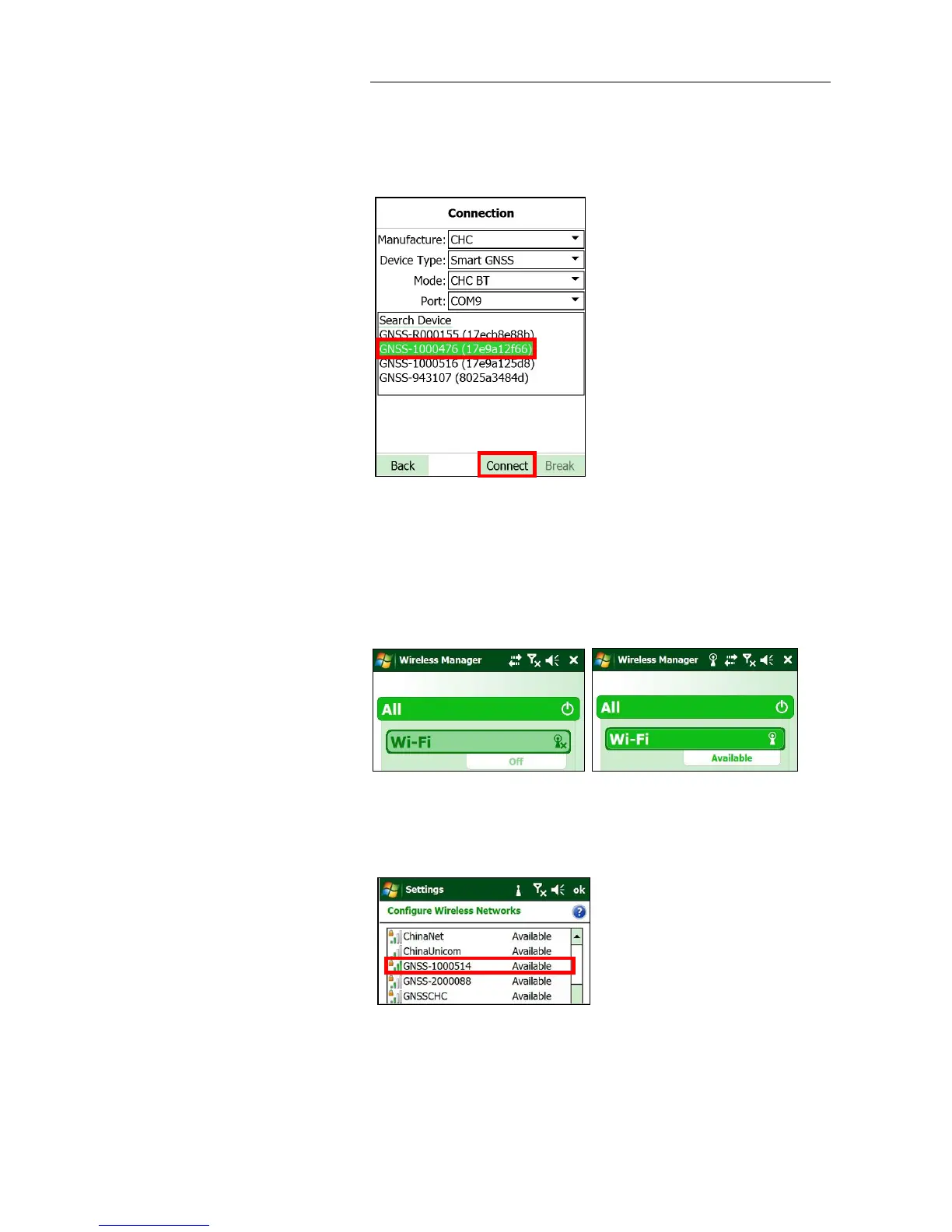
3. Tap Search Device to search the Bluetooth devices → tap the Bluetooth
device named as the SN of your receiver → tap Connect button to
connect the software with the receiver via CHC Bluetooth.
2.7.3. CONNECTING VIA WI-FI WITH LANDSTAR 6 SOFTWARE
1. Turn on the controller → tap Start button → tap Settings → select
Connection tab → tap Wireless Manager → turn on the Wi-Fi function
→ tap Menu button → tap Wi-Fi Settings.
2. In the Configure Wireless Network Settings screen, tap the wireless
network named as the SN of your receiver.
3. In the pop-up screen, tap Next button to enter Configure Network
Authentication screen → enter the Network Key →tap Next button.



 To Next Page