i80 GNSS Receiver User Guide Page 6
2. GETTING STARTED WITH I80
2.1. ABOUT THE RECEIVER
The i80 GNSS receiver incorporates a GNSS engine, GNSS antenna, internal
radio, optional 4G cellular modem, Bluetooth, Wi-Fi, and dual-battery in a
ruggedized and miniature unit that is easy for you to set up an all-in-one RTK
rover or mobile base station.
The LCD panel enables you to check satellite-tracking status, internal battery
status, Wi-Fi status, working mode, data logging status and basic receiver
information. Bluetooth and Wi-Fi technology provide cable-free
communication between the receiver and controller.
The receiver can be used as the part of a RTK GNSS system with CHC
LansStar6 software. And you can download the GNSS data that recorded in
the internal memory of receiver to a computer.
You can change basic settings of the receiver with its LCD panel. To configure
the receiver for performing a wide variety of functions, you can use the web
interface by connecting the receiver with PC or smartphone through Wi-Fi.
2.2. PARTS OF THE RECEIVER
The operating controls are all located on the front panel. Battery
compartment and SIM card slot are on the backside. Serial ports and
connectors are located on the bottom of the unit.
2.2.1. FRONT PANEL
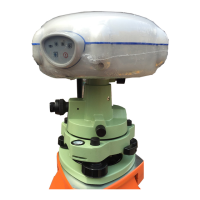
The following figure shows a front view of the receiver.
The front panel contains one LCD screen, two indicator LEDs, and two
buttons.



 To Next Page