2. Getting started with i80
i80 GNSS Receiver User Guide Page 19
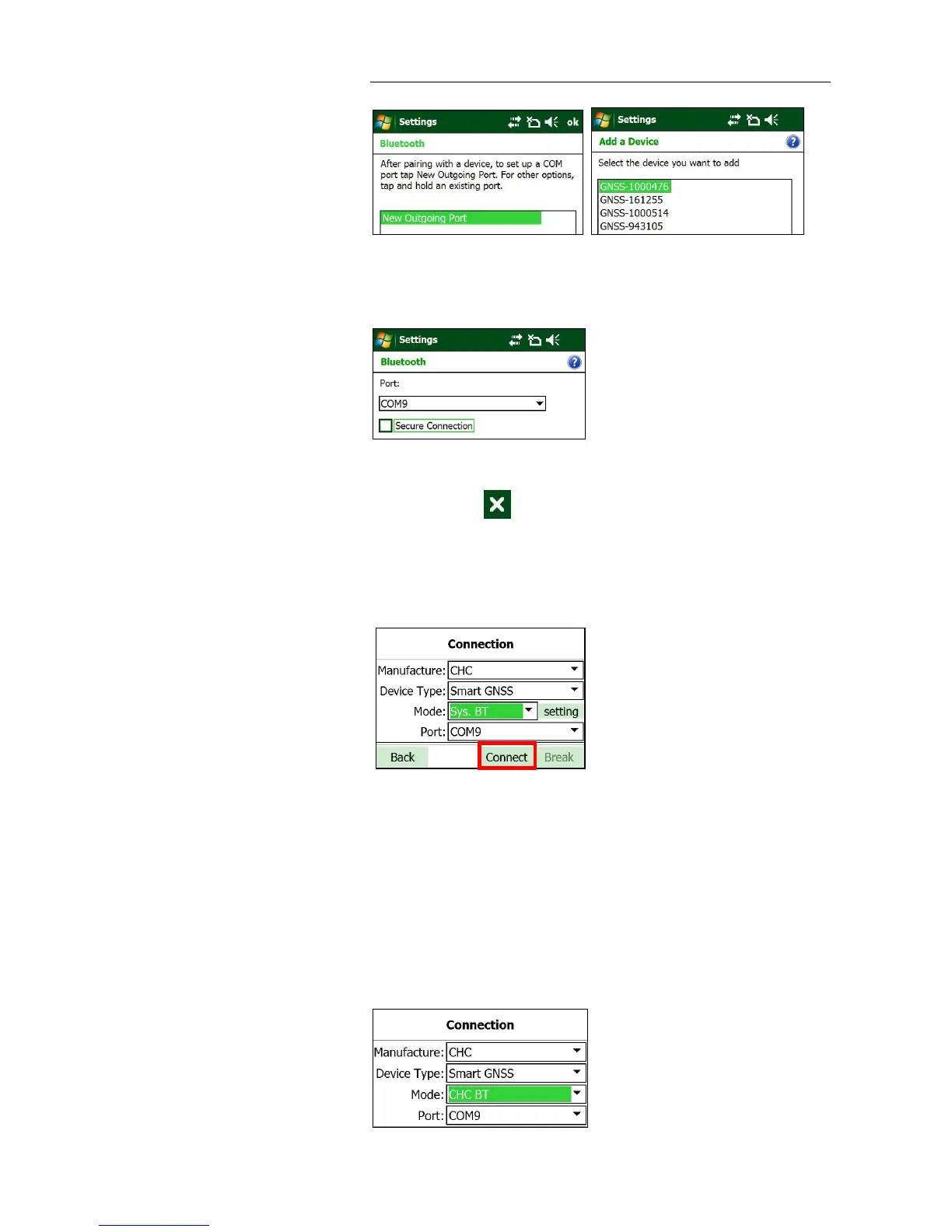
7. Select a COM port that has not be used from the dropdown list of the
Port field → untick Secure Connection option → tap Finish button.
8. Tap ok button in the top right corner to back the Wireless Manager
screen → tap button to go back the Hcconfig screen →select COM
Port that you configured to connect the controller with the receiver for
the Port field → tap Connect button to connect the software with the
receiver via system Bluetooth.
2.7.2.2. Via CHC Bluetooth
1. Turn on the controller → run Hcconfig → tap Connection in the main
menu.
2. In the Connection screen, select CHC for the Manufacture field, Smart
GNSS for Device Type field, CHC BT for Mode field, COM Port that you
want to be used to connect the controller with the receiver for the Port
field.



 To Next Page