4. Base station setup and operation
i80 GNSS Receiver User Guide Page 38
b) Manually enter the coordinates of the known point in B, L and H.
c) Tap Get Current Position button to obtain the current position of
the base receiver.
10. Go to Base Parameters tab → select Inner Radio for Transmit COM field
→ configure the Data Format field, Baud Rate field and Elevation Mask
field according to your need.
11. Tap in the lower right corner to save the settings, and then the
LandStar 6 will disconnect with the receiver automatically.
4.3. OUTPUTTING CORRECTIONS USING EXTERNAL RADIO
4.3.1. BASE STATION SETUP
For base receiver part:
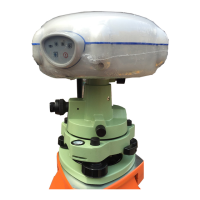
1. Screw the i80 receiver onto extension pole.
2. Screw the extension pole with auxiliary H.I. tool onto tribrach adaptor.
3. Mount the tribrach onto the tripod.
4. Insert the tribrach adaptor into the tribrach.
5. Level and plumb the receiver over the known (control) point.
6. Measure the height of the base station GNSS antenna by measuring the
slant height from the known (control) point to the auxiliary H.I. tool.
Note – Select “Bottom” as the measurement method, select “CHCi80” as
antenna type, and then enter the vertical height from the known (control)
point to the bottom of receiver that you calculated by adding the height of
the extension pole to the height from the known (control) point to the
auxiliary H.I. tool, the CHC LandStar 6 will calculate the height to the
Antenna Phase Center (APC) automatically.
7. If required, connect the receiver to an external 12 V power supply.
For external radio part (take the CHC DL5-C Datalink for example):
8. Connect the Datalink Antenna to the 3 meter Cable for Datalink
Antenna.
9. Connect 3 meter Cable for Datalink Antenna to Datalink Antenna
Mounting Pole.
10. Screw the Datalink Antenna Mounting Pole onto the tribrach adapter.
11. Mount the tribrach onto the tripod.
12. Insert the tribrach adaptor into the tribrach.
13. Set up the Datalink Antenna nearby the base receiver.
14. Fix the DL5-C Datalink onto the tripod.
15. Place the car battery at an appropriate location.



 To Next Page