101
Chapte
4 Radios
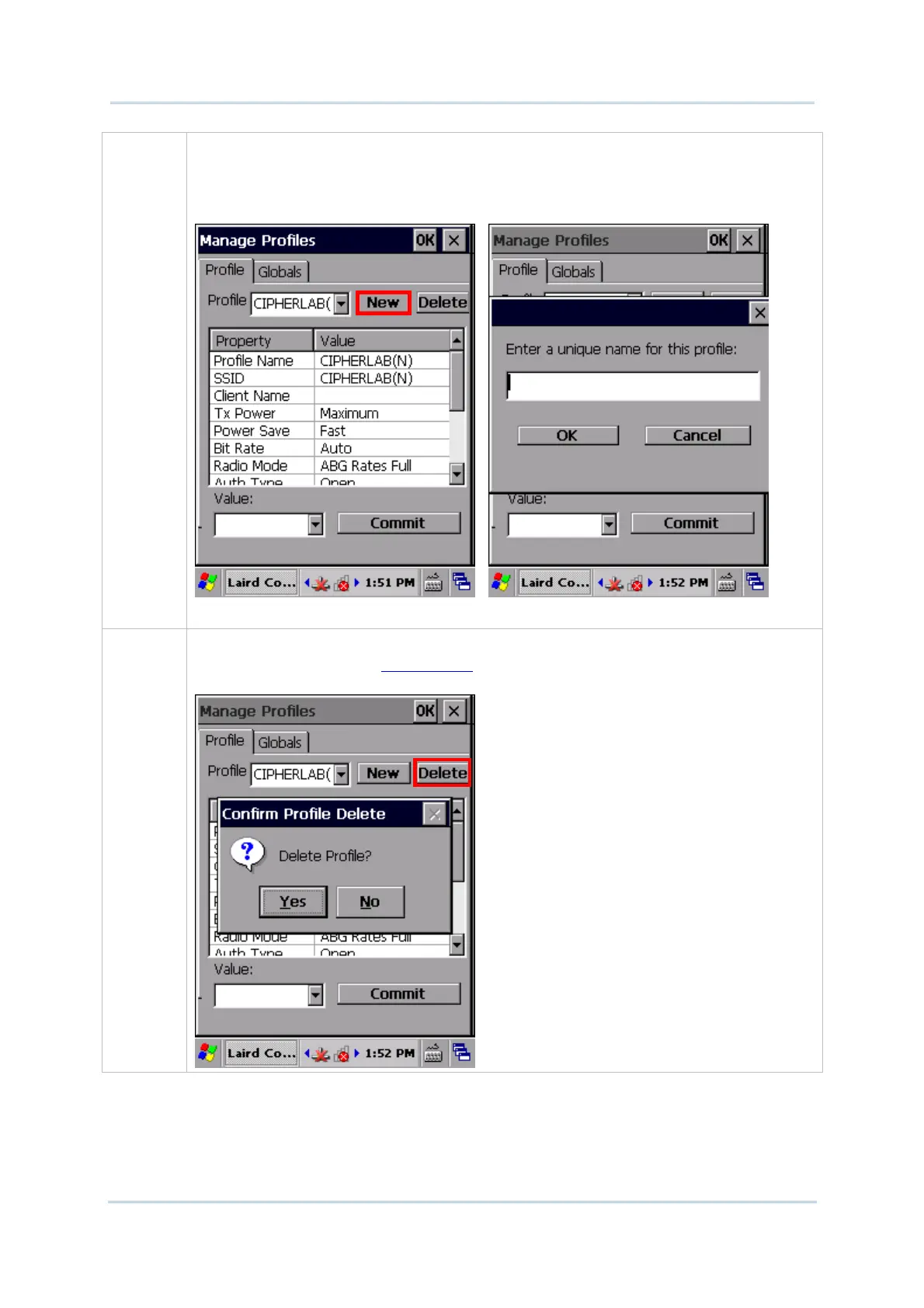
New Tap New and enter a unique name for the profile. Configure the Radio settings,
Encryption, EAP Type, and other settings for this new profile.
The name for each profile must be unique
You can define up to 20 profiles
Delete Select a profile from the drop-down menu and tap Delete.
You cannot delete the Active Profile. Make sure the selected profile is not the active
profile under Configuration tabbed page.



 To Next Page