5-3
Cisco 1240 Connected Grid Router Hardware Installation Guide
OL-26223-04
Chapter 5 Mounting the Router
Contents of the Mounting Kits
• Material—Metal, wood, or fiberglass poles
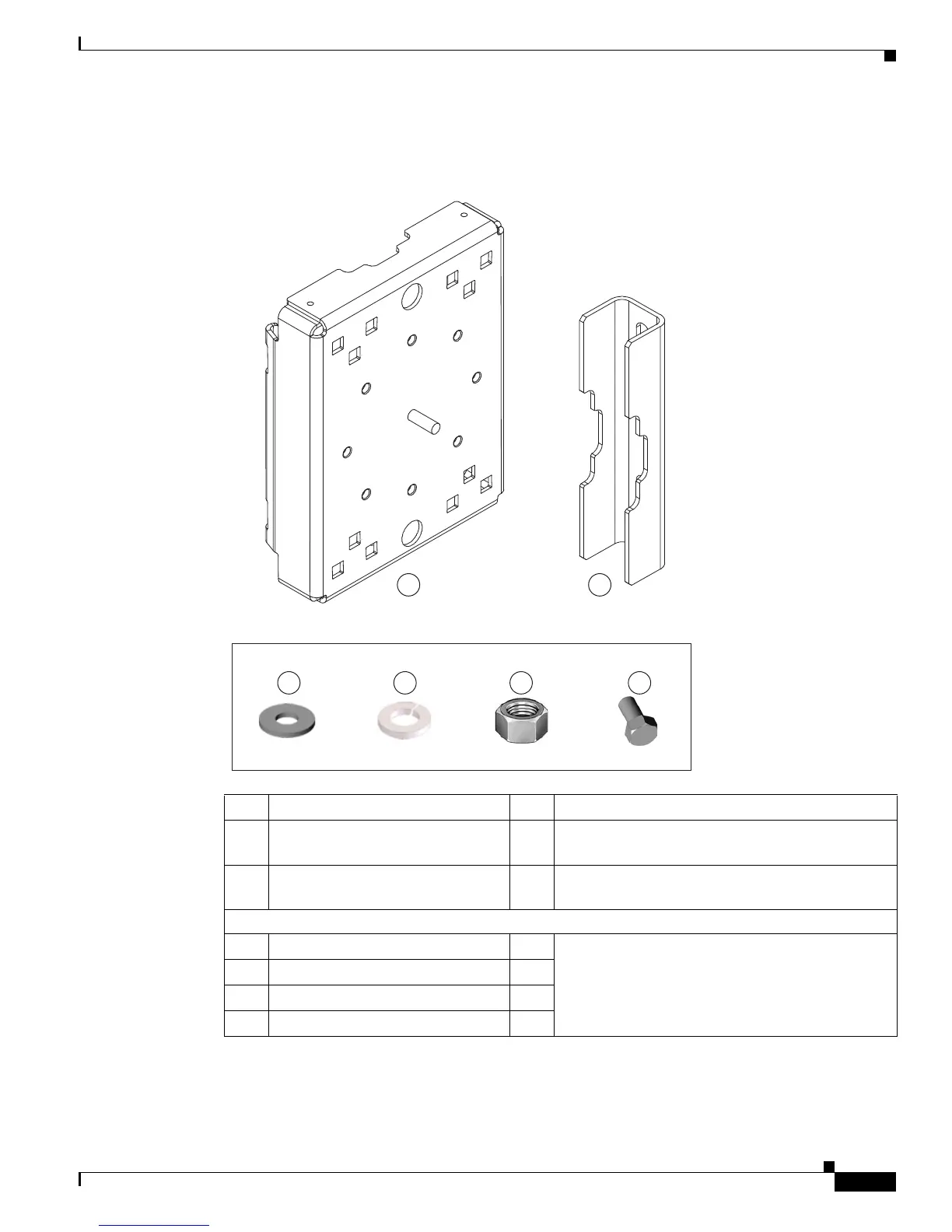
Figure 5-1 Pole Mount Kit Contents
Item Name Qty. Description
1 Mounting plate 1 Install mounting plate on pole. Mounting bracket
attaches to mounting plate.
2 Clamp brackets 2 Use the clamp brackets to install the mounting plate
on a pole.
Included Hardware
3 Washer (3/8 inch) 4 Use the included hardware to attach the mounting
plate to the pole, as described in the “Install the
Mounting Plate onto a Pole” section on page 5-8.
4 Split lock washer (3/8 inch) 4
5 Nut (3/8-16) 4
6 Carriage bolt (3/8-16 x 7 inches) 4
300602
Included Hardware
Qty 4
3
Qty 4
4
Qty 4
6
Qty 4
5
21











 To Next Page