Configuring the PVC2300 and WVC2300 Cameras
Applications > DDNS
Cisco PVC2300 and WVC2300 Internet Video Cameras with Audio Administration Guide 95
8
- Pre/Post Capture—Select the desired length. The size of the file
depends on this setting, and also the video size and degree of
compression.
Applications > DDNS
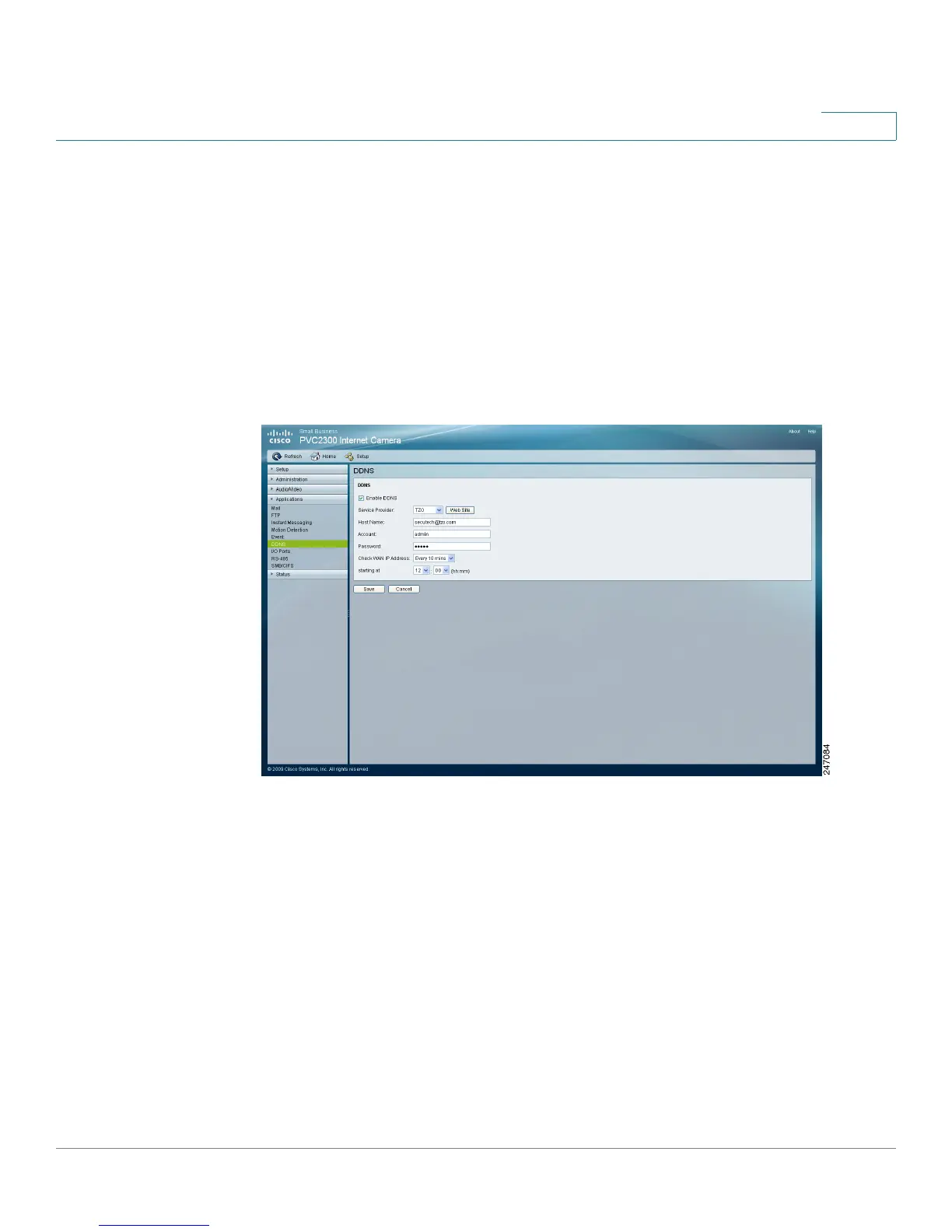
From the Applications > DDNS window, you can configure Dynamic Domain Name
Service (DDNS). Use this feature to access the camera from a remote location.
DDNS
• Enable DDNS—Check the box to enable DDNS. When used with a DDNS
service provider, you can access your camera over the Internet using a
domain name instead of an IP address.
• Service Provider—Select the service provider that you have an account
with. The choices are DynDNS, TZO, and 3322. If you do not have an
account, you can select a service provider and click Web Site.
• Host Name—Enter the host name (Domain Name) allocated to you by the
DDNS service provider.
• Account—Enter the login name for the DDNS account.



 To Next Page