Sample Configurations
Defining Preset Positions for Patrol Sequence
Cisco PVC2300 and WVC2300 Internet Video Cameras with Audio Administration Guide 110
9
Defining Preset Positions for Patrol Sequence
NOTE You can only use this feature if you have an external PTZ base that supports
Pelco D Protocol.
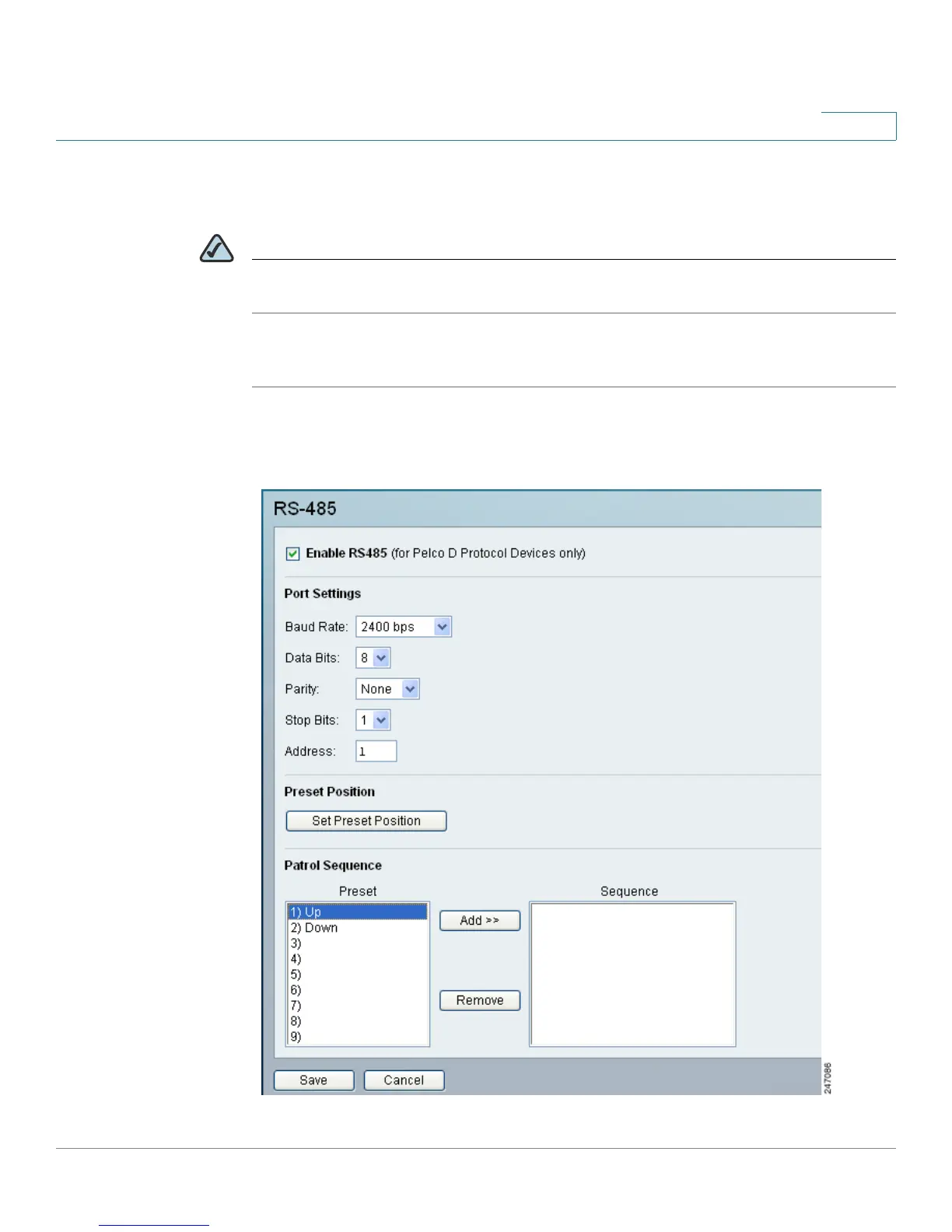
To define preset positions for the camera patrol sequence, follow these steps:
STEP 1 Click Setup in the toolbar.
STEP 2 Click Applications > RS-485. The Applications > RS-485 window displays.



 To Next Page