Configuring the PVC2300 and WVC2300 Cameras
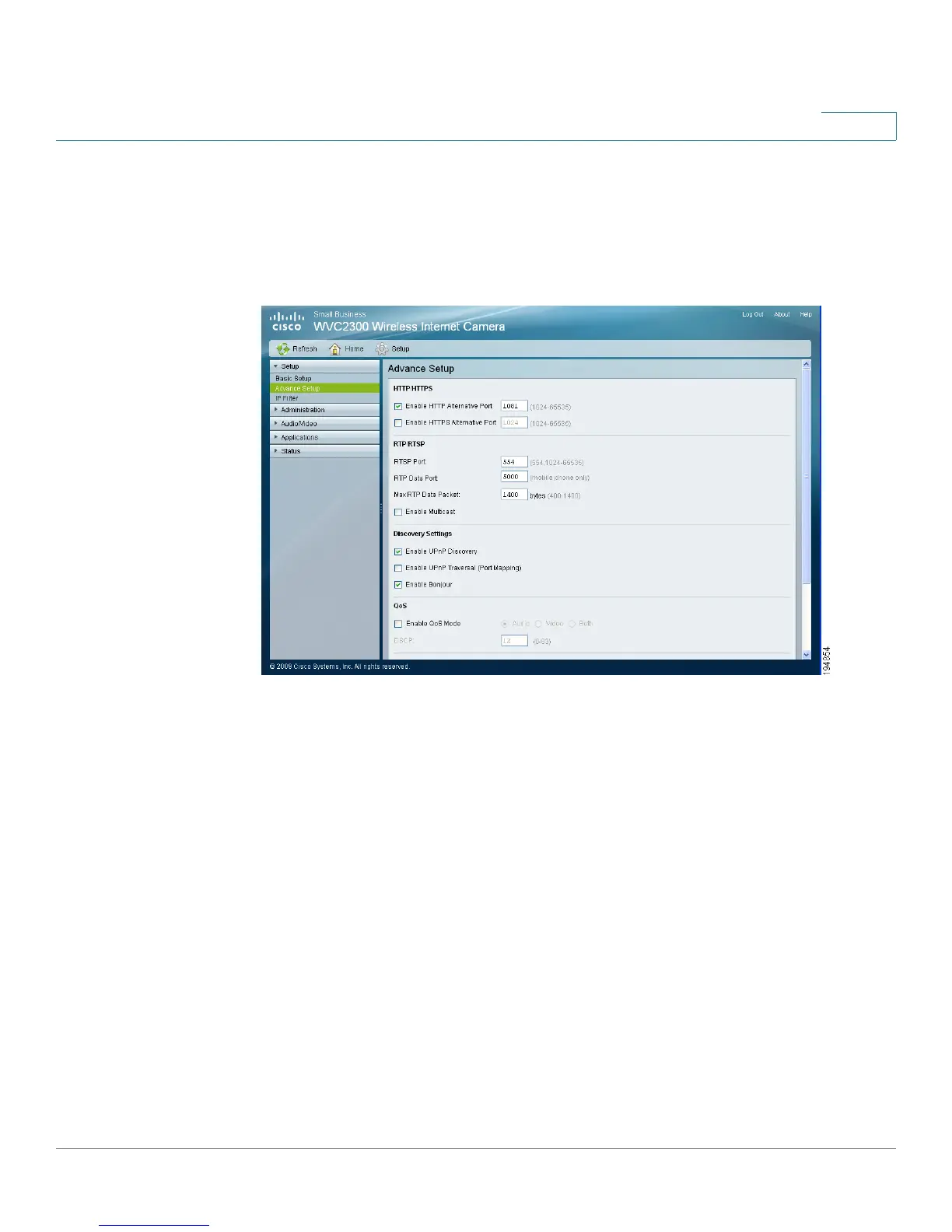
Setup > Advance Setup
Cisco PVC2300 and WVC2300 Internet Video Cameras with Audio Administration Guide 68
8
Setup > Advance Setup
From the Setup > Advance Setup window you can configure settings for
HTTP/HTTPS, RTP/RTSP, UPnP, Bonjour, QoS, and CoS.
HTTP/HTTPS
• Enable HTTP Alternative Port—Allows you to define the port number used
to communicate with the camera using an HTTP connection. The default
value is 1024. A value in the range of 1024-65535 can be defined.
The port number must be specified in the URL when accessing the
camera’s web-based utility via the LAN or Internet. For example, if the
camera’s IP address is 192.168.1.99 and the port is defined as 1028, you
would specify the following address: http://192.168.1.99:1028.
• Enable HTTPS Alternative Port—Allows you to define the port number
used to communicate with the camera using an HTTPS connection. The
default value is 1024. A value in the range of 1024-65535 can be defined.



 To Next Page