Getting to Know the PVC2300 and WVC2300 Cameras
Back Panel
Cisco PVC2300 and WVC2300 Internet Video Cameras with Audio Administration Guide 11
3
Back Panel
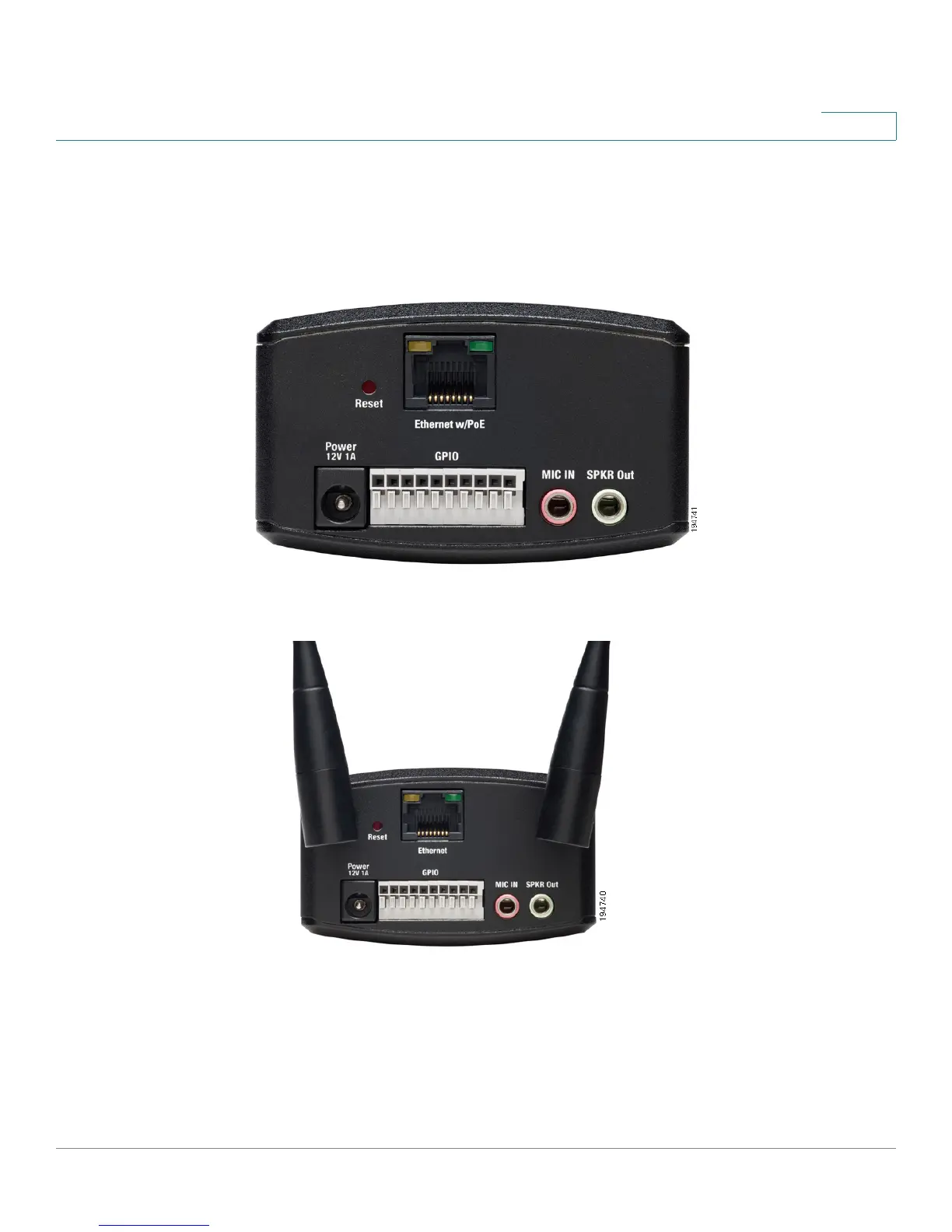
The ports and reset button are located on the back panel of the camera.The
following shows the back panel of the PVC2300.
The following shows the back panel of the WVC2300.
Antenna Connectors
Antenna connectors are only found on the WVC2300 camera. The connectors are
used to attach the antennas to the device for wireless connectivity.



 To Next Page