Connecting the Camera
Adjusting The Lens
Cisco PVC2300 and WVC2300 Internet Video Cameras with Audio Administration Guide 22
4
NOTE If you are installing the PVC2300 camera, you are done with the camera installation.
However, if you are installing the WVC2300 camera, proceed to the next step.
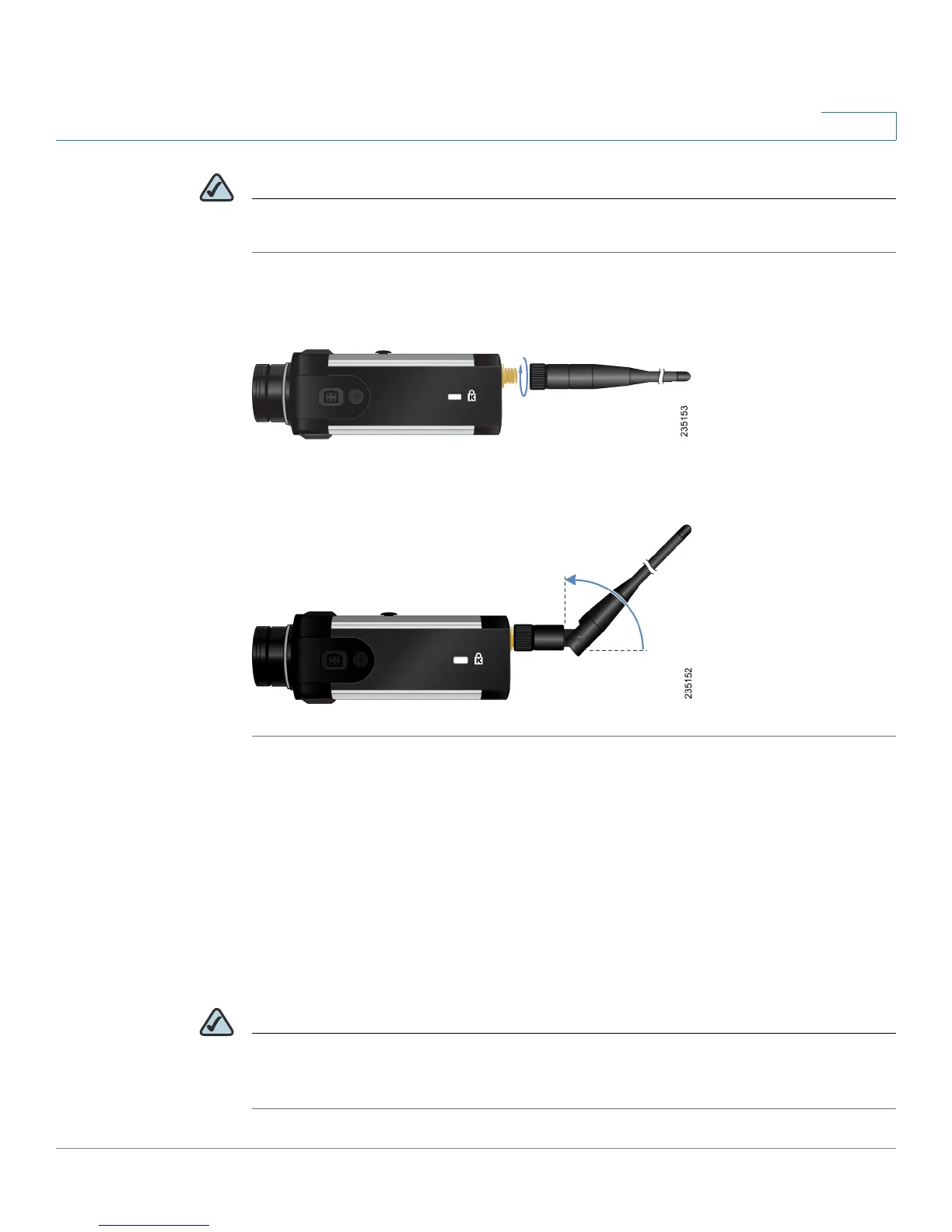
STEP 9 Connect each of the two antennas to the antenna connectors on the back of the
camera.
STEP 10 Place the antennas in an upright position.
Congratulations! You have completed the camera hardware installation. Continue
with Chapter 5, “Installing the Camera Software.”
Adjusting The Lens
The PVC2300 and WVC2300 Internet Cameras use an adjustable CS mount lens.
Adjust the focus by slowly rotating the camera Lens Focus clockwise or
counterclockwise.
NOTE The resolution and video quality can be adjusted from the Audio/Video > Video
window in the web-based utility. See “Audio/Video > Video” section on page 77.
Use the camera Lens Focus to fine tune the image.



 To Next Page