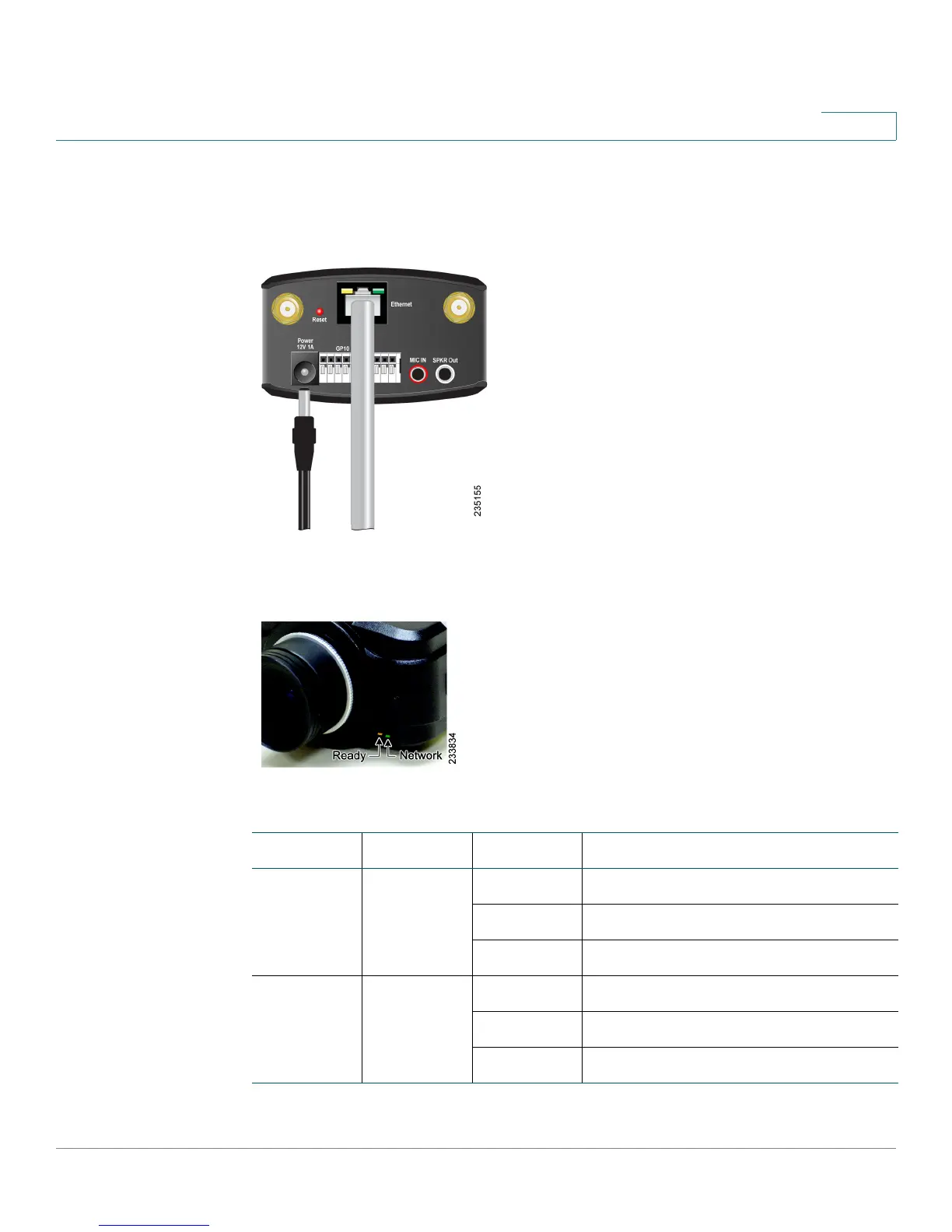
Connecting the Camera
Camera Hardware Installation
Cisco PVC2300 and WVC2300 Internet Video Cameras with Audio Administration Guide 21
4
STEP 7 If your network switch does not provide PoE, connect the included power adapter
to the Power port of the camera and insert the other end into a standard electrical
outlet.
STEP 8 Verify that the camera LEDs are lit.
LED Color Activity Action
Ready Amber Off
Camera is powered off.
On Camera is powered on.
Blink Camera is booting.
Network Green Off Network connection not detected.
On Network connection detected.
Blink Sending and receiving data.



 To Next Page