Configuring the PVC2300 and WVC2300 Cameras
Audio/Video > Video
Cisco PVC2300 and WVC2300 Internet Video Cameras with Audio Administration Guide 77
8
Audio/Video > Video
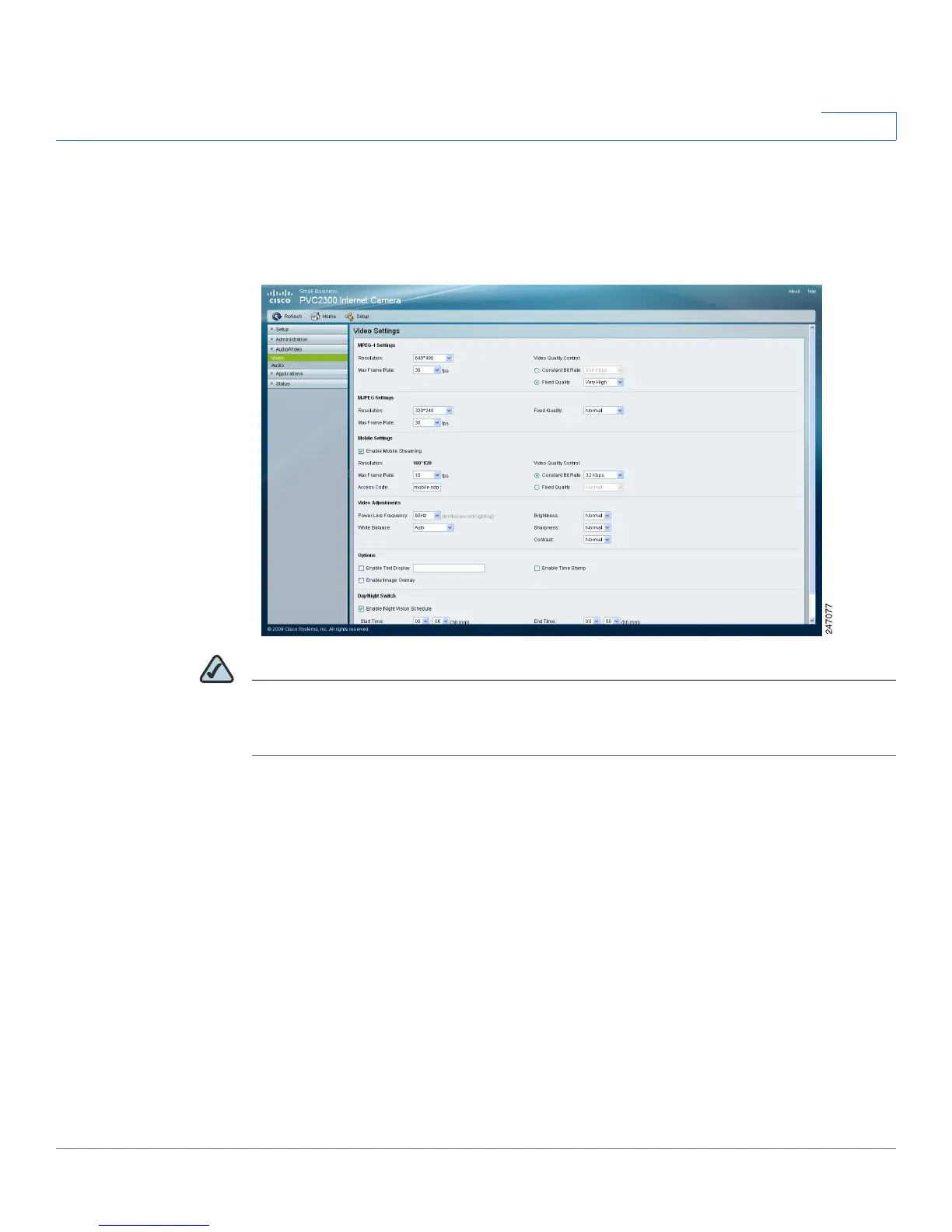
The Audio/Video > Video window displays the video settings.
NOTE Higher video quality settings and higher frame rate settings require more
bandwidth. See Appendix B, “WVC2300 Camera Bandwidth Test” for additional
details.
MPEG-4 Settings
MPEG is the designation for a group of audio and video coding standards and
related technology agreed upon by the ISO/IEC. The primary uses for the MPEG-4
standard are web (streaming media), CD distribution, and broadcast television.
• Resolution—Select the desired video resolution setting. The default
resolution is 320x240.
• Video Quality Control—Choose one of the following:
- Constant Bit Rate—Select the constant bit rate. The default value is
256 Kbps.
- Fixed Quality—Select the desired fixed quality. The default is Normal.



 To Next Page