Sample Configurations
Using Patrol Sequence
Cisco PVC2300 and WVC2300 Internet Video Cameras with Audio Administration Guide 112
9
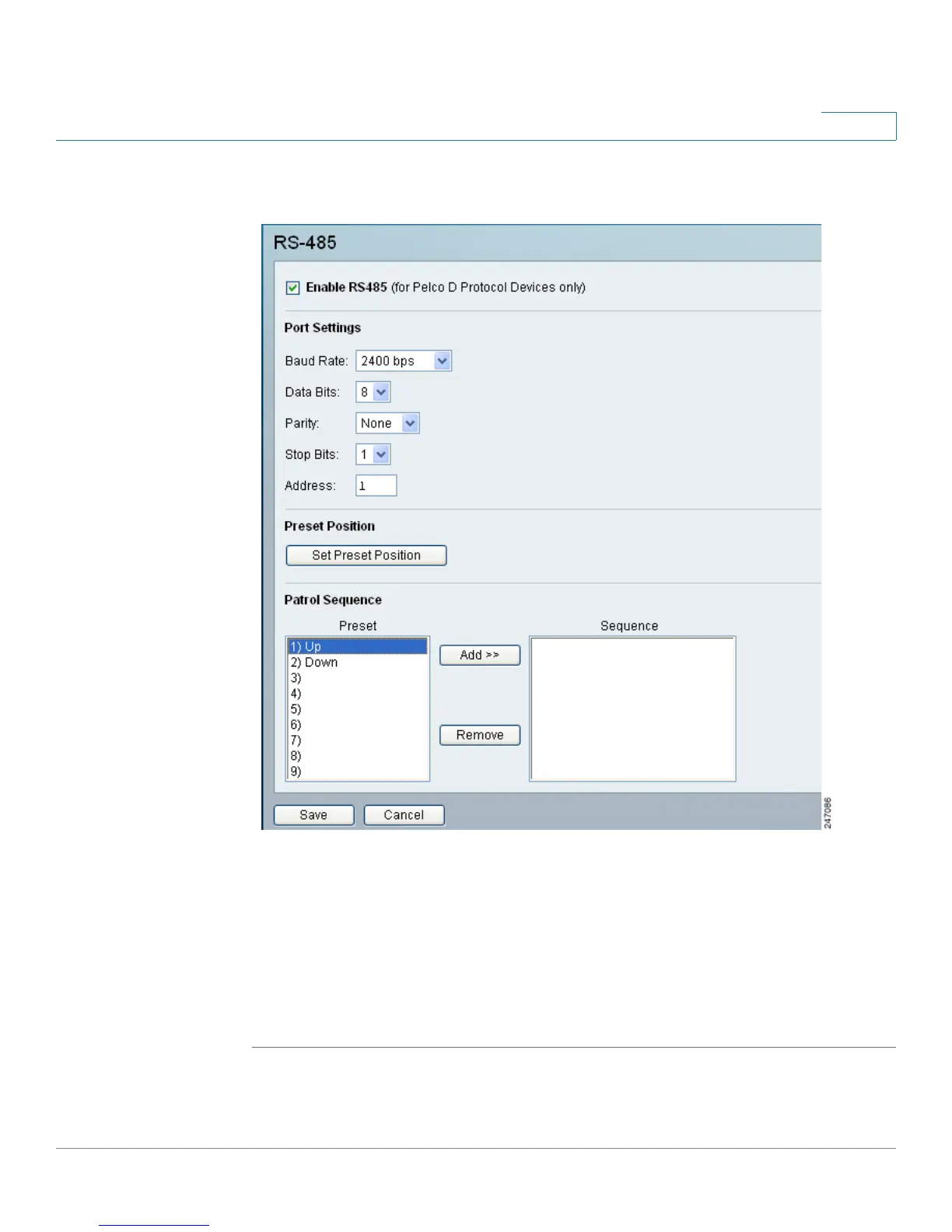
STEP 2 Click Applications > RS-485. The Applications > RS-485 window displays.
STEP 3 To enable RS485, check the Enable RS485 check box.
STEP 4 In Patrol Sequence, select the desired Preset in the left column and click the
Add>>. Repeat until the desired sequence is complete.
You can add the same preset position more than once to make the camera stay
longer in one position.
STEP 5 Click Save.



 To Next Page