10.3.6 BA ROLLANT 240 - 250 - 254 - 255 - 000 299 119 5
Control Terminal
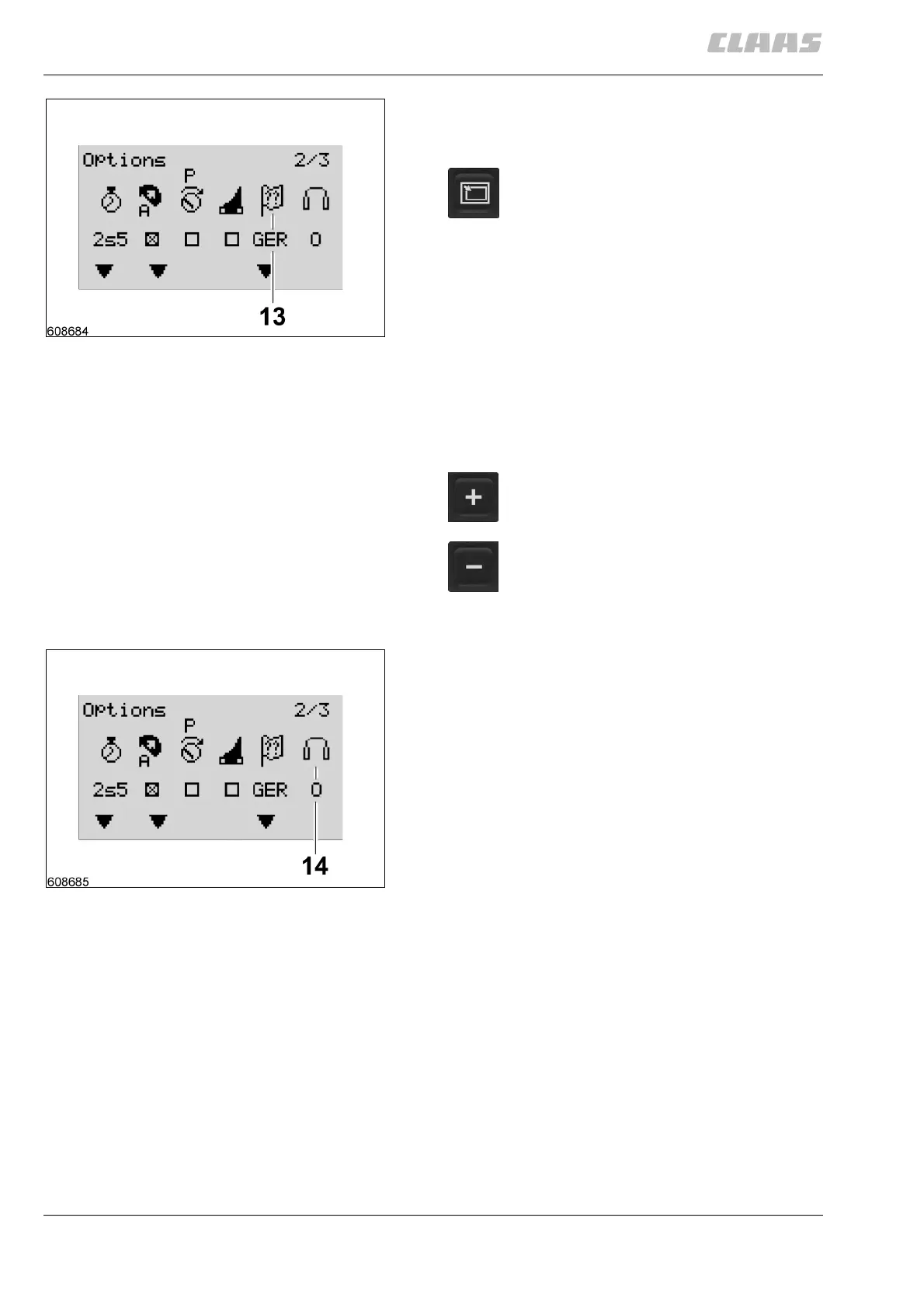
Select language
Call up the “User settings” submenu.
The currently active language is displayed on the
screen as follows:
GER German
FRA French
ENG English
SPA Spanish
ITA Italian
HOL Dutch
(Fig. 10)
Bale wrapper
Option (14) "Bale wrapper" is deactivated for Rollant
254 and 255 balers
(Fig. 11)
10
Press the submenu key as many times as
needed until the function “Select language”
is active and symbol (13) blinks.
Press this key to scroll up the language list.
Press this key to scroll down the language
list.
11


 To Next Page
 Loading...