Group 19, Motor Controls
19-2-2 • Control Programming SM 765, Sep ’06
The Handset display will than show a screen simular to the one shown below.
As shown in this Example; the “M” in DA2
M2BGCPE, indicates the the Handset is now monitoring the Master control.
The slave control is represented with a :”S”, and the Pump control would be indicated with a “P”.
The last 6 digits of the top line in the example above indicate the current software revision loaded into the Master control.
The CK indicates CLARK and the 0.13 is the software revision level.
The bottom line on the display indicates the Battery Voltage and the current level that has been set and the current internal
hour meter reading of the control.
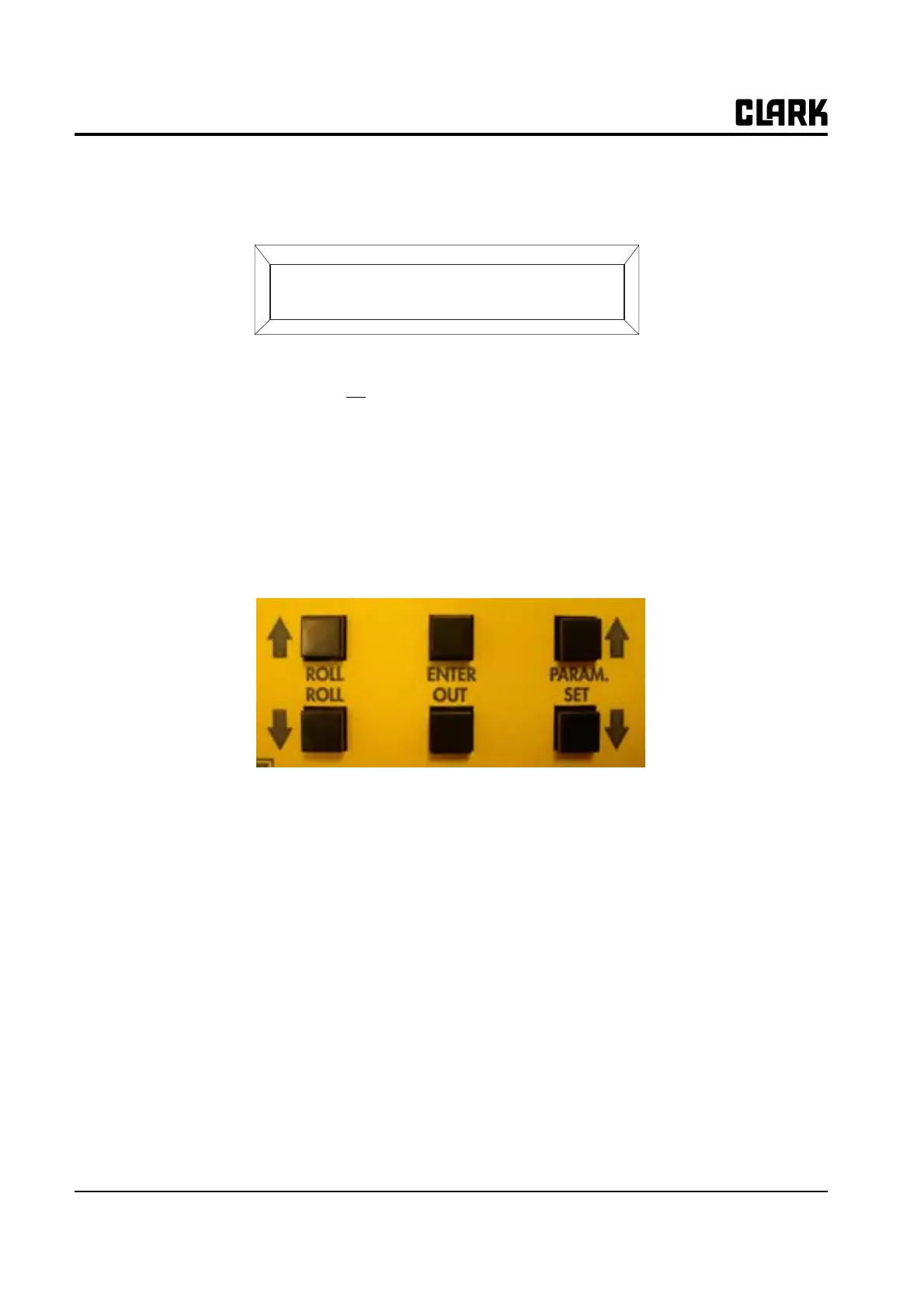
At the bottom of the Handset there are 6 push buttons used to navigate to a different control (Master, Slave or Pump), or to
navigate through the control functions and to make changes to the paramaters.
A flow chart of the Handset functions is shown on the following page.
The Handset is used to make adjustments to the parameters, used to view test functions within the electrical system of the
truck and to view the alarms (fault codes) that are present or stored in the memory of the controls.
See Group 19, Section 4 for GEX Factory Control Settings
DA2M2BGCPE CK 0.13
80V 280A 00000



 To Next Page