11. The Assign New Configuration File dialog asks you to select an FPGA image
for the first device in the chain or to bypass that device.
In this example procedure, the first device will be bypassed and an FPGA image
will be assigned to the second device.
• For the first device, press Bypass.
• For the second device, select the FPGA image:
Drivers USB > ECLIPSE DRIVERS > Omega-Median-Delta > xxxxxx - E-MADI
FPGA > xxxxxx.mcs and xxxxxx.cfi
Where xxxxxx represents the product / file number.
Note:
When upgrading the E-MADI64 FPGA, both the *.mcs and *.cfi file are required.
The *.cfi and *.mcs file are available from the same location. The user does not
have to do anything else, as the tools find the files.
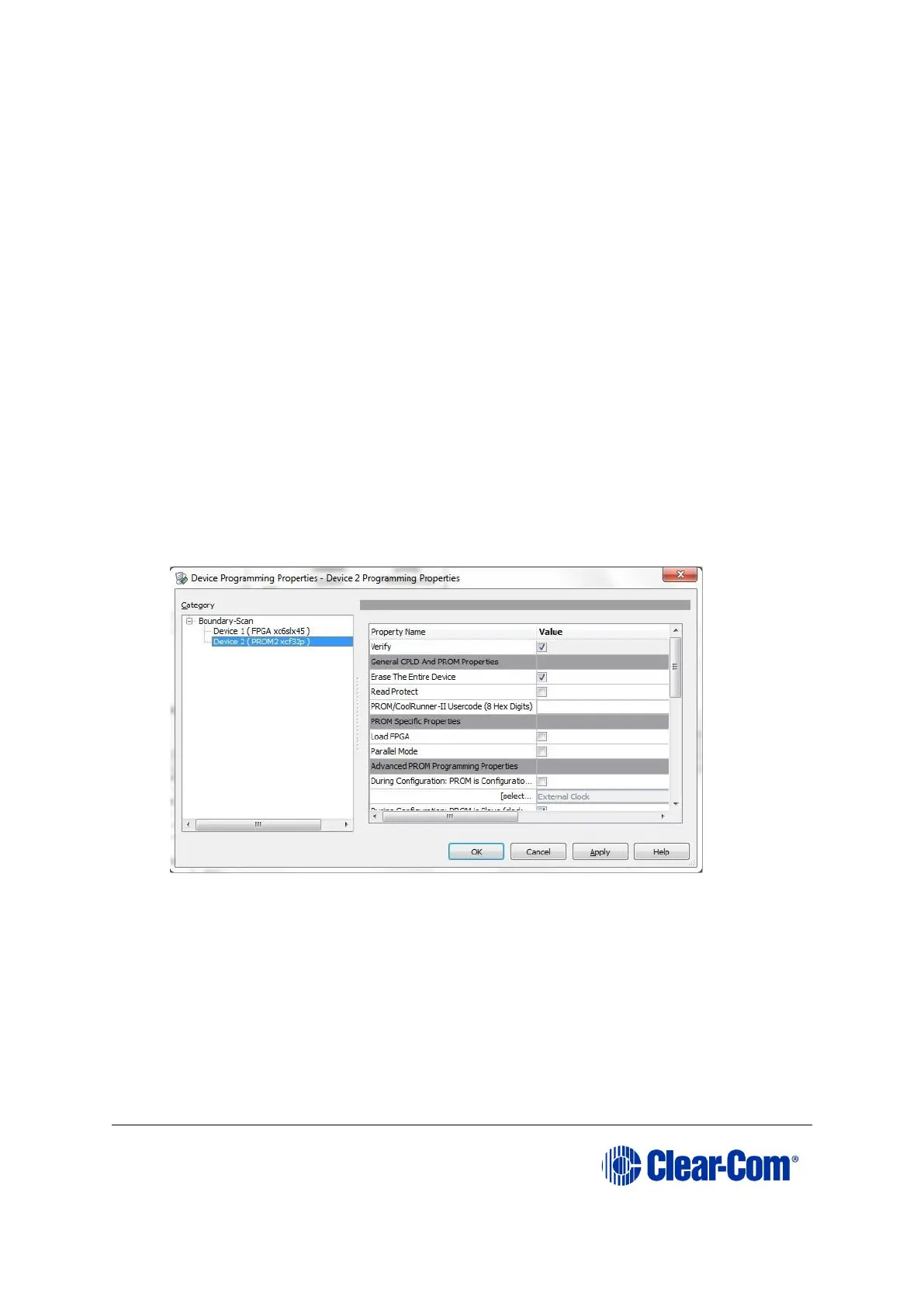
12. A summary dialog is presented. For the selected device, ensure that the Erase
the Entire Device and Verify flags are set. Click OK.
Figure 11-7: Example Xilinx device programming properties
13. In Impact Processes, double click program.
The upgrade (programming) starts, and takes approximately 2 minutes to
complete. When the upgrade is complete, the Program Succeeded message is
displayed in the main window.
14. Power down the UUT.



 To Next Page