For the second device, select the U1 CPLD code. The U1 CPLD code for the CPU
card is available from the Drivers USB:
• Drivers USB > ECLIPSE DRIVERS > Omega-Median-Delta > xxxxxx
- Config Card U1 CPLD code.
Note: xxxxxx represents the part number.
The folder contains a CPLD code file (*.jed) and a Read Me file (*.txt), which
contains version information.
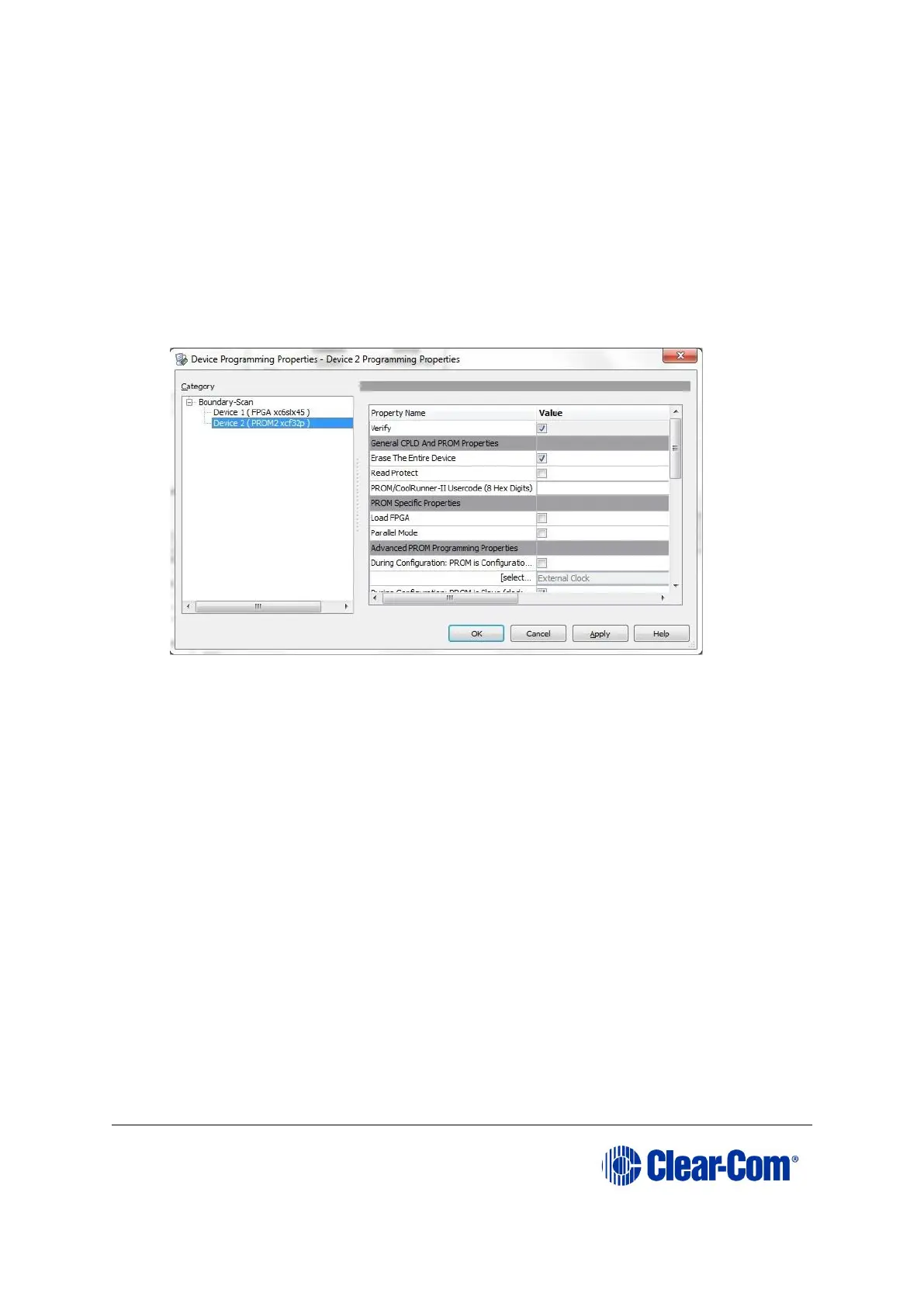
10) A summary dialog is presented. For all devices, ensure that the Erase Before
Programming and Verify flags are set. Click OK.
Figure 5-18: Example Xilinx device programming properties
11) Right click the second device and select Programming.
The upgrade starts, and takes approximately 2 minutes to complete. When the
upgrade is complete, the Program Succeeded message is displayed in the
main window.
12) Power down the CPU card.
5.11 Downloading a test configuration to the CPU card
using EHX
After you have upgraded your Eclipse HX-Median / Eclipse HX-Omega / Eclipse HX-Delta
matrix CPU cards, Clear-Com recommends downloading a test configuration from EHX to
the CPU cards.
Downloading a configuration will enable you to make any further configuration changes
to the cards using either a serial or Ethernet connection.
For more information, see your EHX User Manual.



 To Next Page