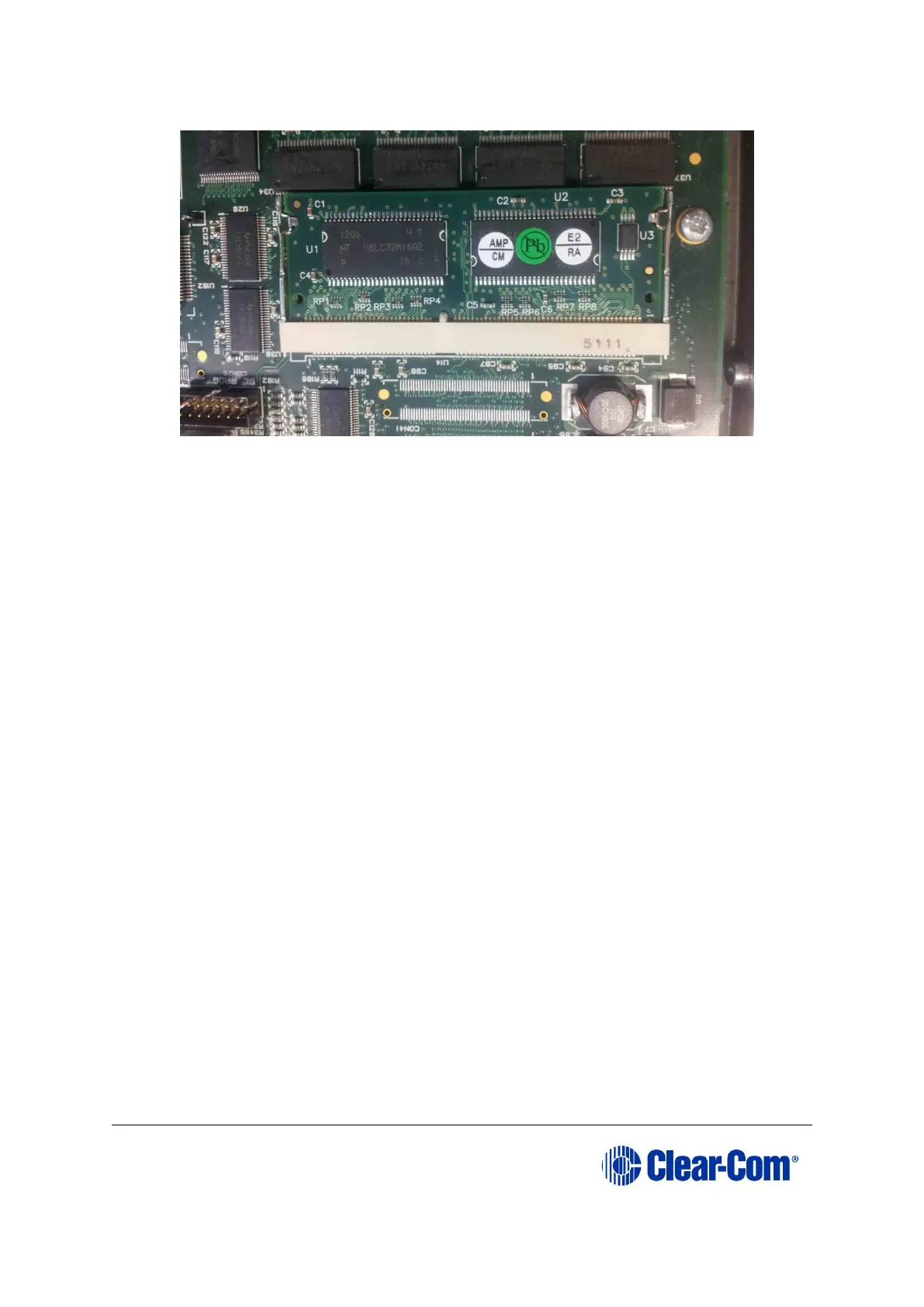
should be visible).
Figure 6-3: Eclipse HX-PiCo 256Mb RAM daughter board
7) Secure the RAM daughter board by closing the levers to either side of the
cassette.
8) Return the CPU card to the Eclipse HX-Median, Eclipse HX-Omega or Eclipse HX-
Delta matrix.
6.3 Changing the Eclipse HX-PiCo DIP switches
To change the Eclipse HX-PiCo DIP switches to the appropriate Eclipse HX v9.1 settings,
see either:
• Appendix D:Eclipse HX-PiCo CPU DIP switches
• 6.3.3 Upgrading the Eclipse HX-PiCo application code using
Tera Term
Upgrading the Eclipse HX-PiCo application code
6.3.1 Upgrading the Eclipse HX-PiCo app code using EHX with
Ethernet
Before you upgrade the Eclipse HX-PiCo card application code, check that:
• The PC can successfully connect to the matrix with an Ethernet connection by
viewing the Event Log (Diagnostics > Event Log) in EHX.
• There is a valid configuration in the matrix. A valid configuration enables the
matrix to identify its IP address and run its TCP / IP stack.
To upgrade Eclipse HX-PiCo application code using EHX with an Ethernet connection:
1) Ensure that you have the following equipment:



 To Next Page