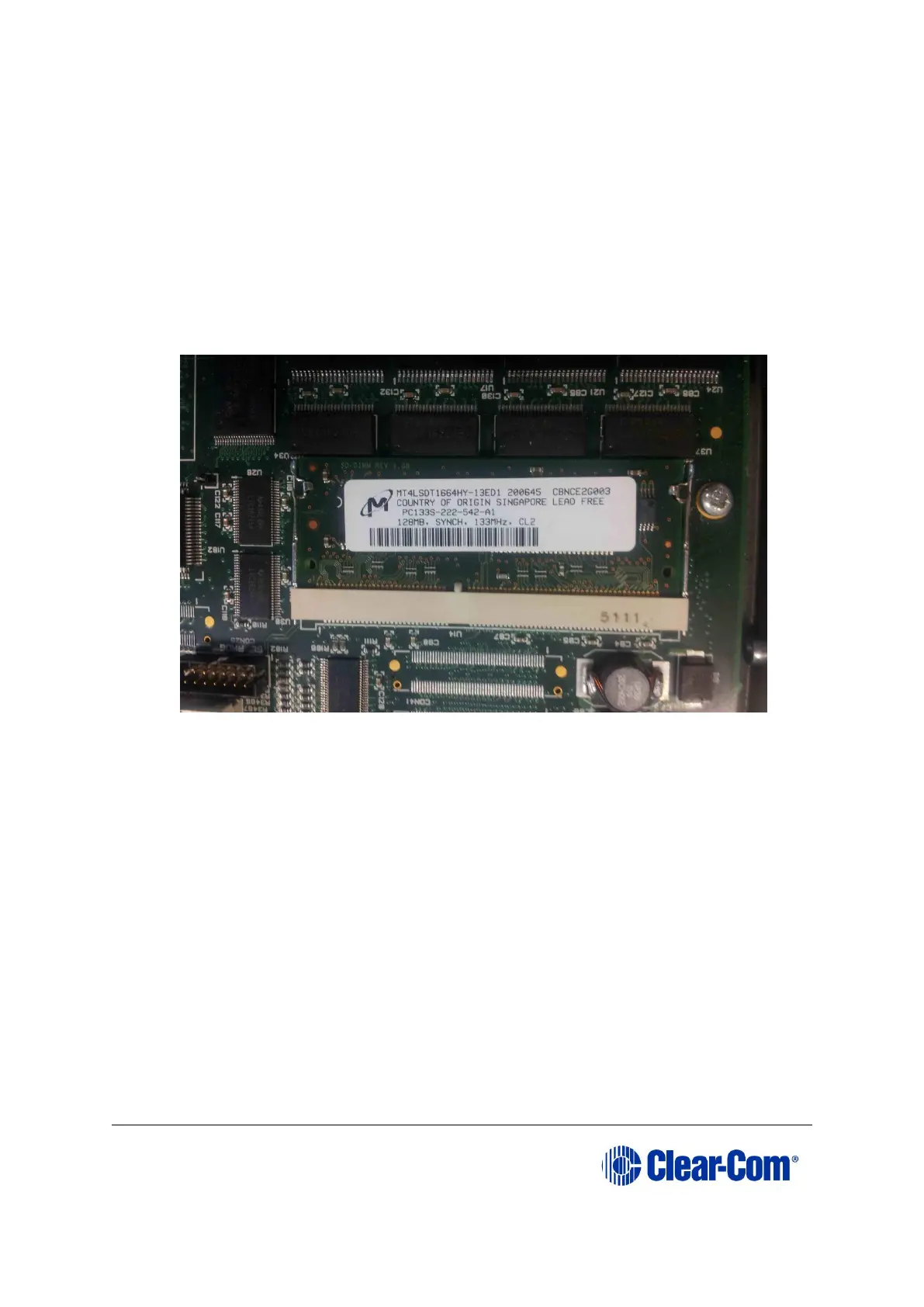
To change the Eclipse HX-PiCo RAM (from 128Mb to 256Mb):
1) Ensure that:
2) The Eclipse HX-PiCo is powered off.
3) You have the replacement 256Mb CPU card RAM daughter board to hand.
4) Remove the lid of the Eclipse HX-PiCo.
5) The cassette that holds the Eclipse HX-PiCo RAM daughter board is left of center
on the main board:
Figure 6-2: Eclipse HX-PiCo 128Mb RAM daughter board
To release the 128Mb RAM daughter board, push back the levers to either side of
the cassette. Remove the board.
6) Fit the replacement 256Mb CPU card RAM daughter board to the cassette. The
daughter board is fitted chip-side up. Ensure that the daughter board is securely
fitted (only the top edge of the connectors along the lower edge of the board



 To Next Page