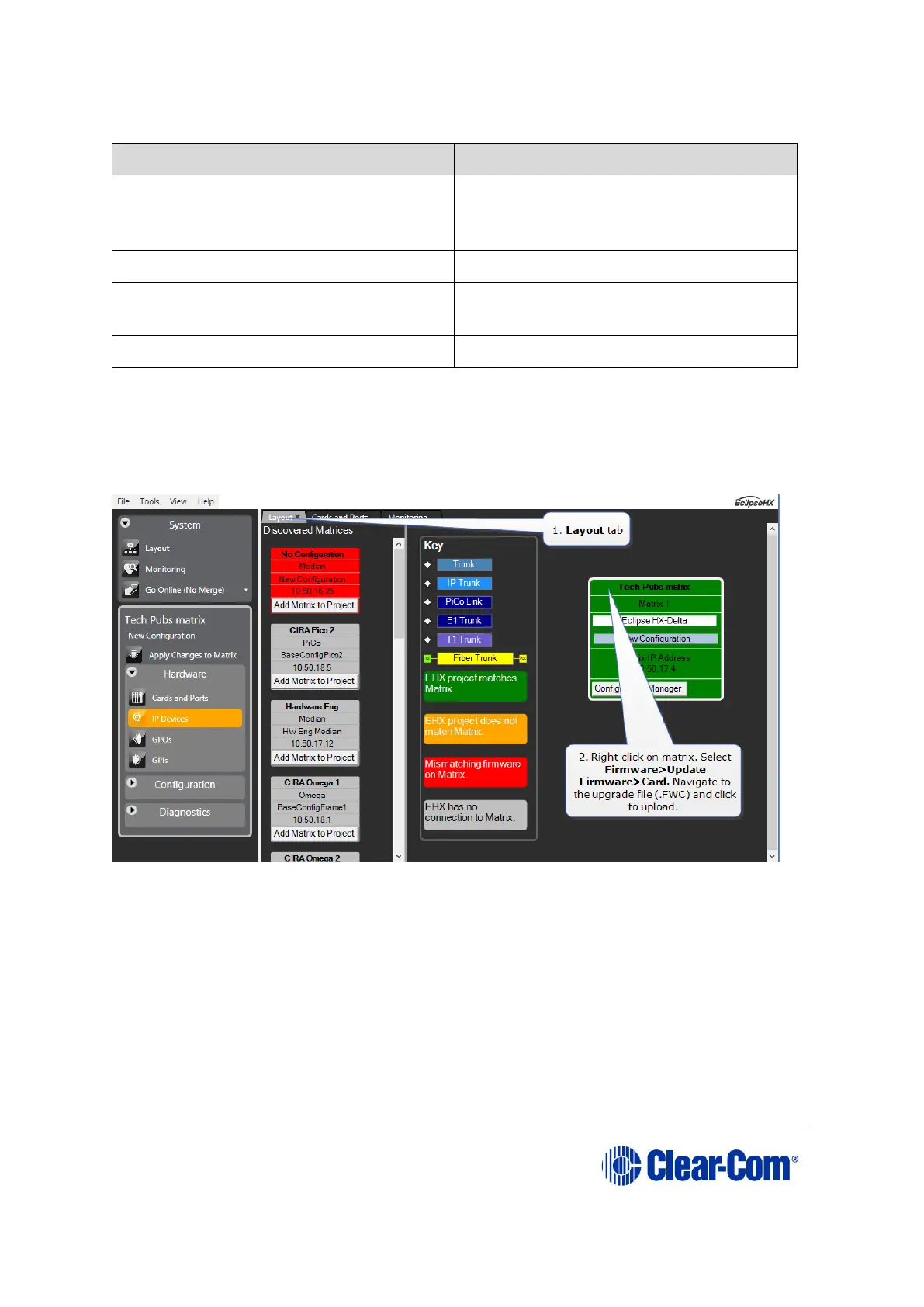
While the E-DANTE64 card is being upgraded with EHX firmware, the active light (green)
on the front of the device will flash at double its usual speed and the error light (red) will
show. The card is ready for use when the error light is off and the status light has
returned to a steady 1Hz pulse.
Note: The upgrade process for an E-DANTE64 card is the same as a MADI card. If you need
more detailed information, see 11 Upgrading E-MADI64 cardsUpgrading E-MADI64
cards).
12.1.2 Upgrade Dante firmware
Before updating the Dante component of your E-DANTE64 card, you must first download
the Dante Firmware Update Manager from the Audinate website.
Open the Dante Firmware Update Manager and follow the instructions on the screen.
The Dante firmware upgrade file (usually labeled ‘Brooklyn’) has a .dnt extension.



 To Next Page