Positioning Your Speakerphone
You should adjust the position of the speakerphone on your desk or table to suit your
individual needs and maximize the performance of the sound activated features.
When using your speakerphone, the microphone and loudspeaker are farther from
you than when you use a handset. Some positioning tips to consider include:
•
For the microphone to best detect your voice, speak within three feet of it
and face the speakerphone.
•
Backgroundnoise may prevent the sound-activated switches from operating
properly. Avoid placing the speakerphone where it will detect sounds from
typewriters, keyboards, printers, paging systems, or other equipment.
•
Place the telephone on a hard surface and away from table edges. Do not
place the telephone in corners or enclosures. Do not let obstructions come
between you and the microphone.
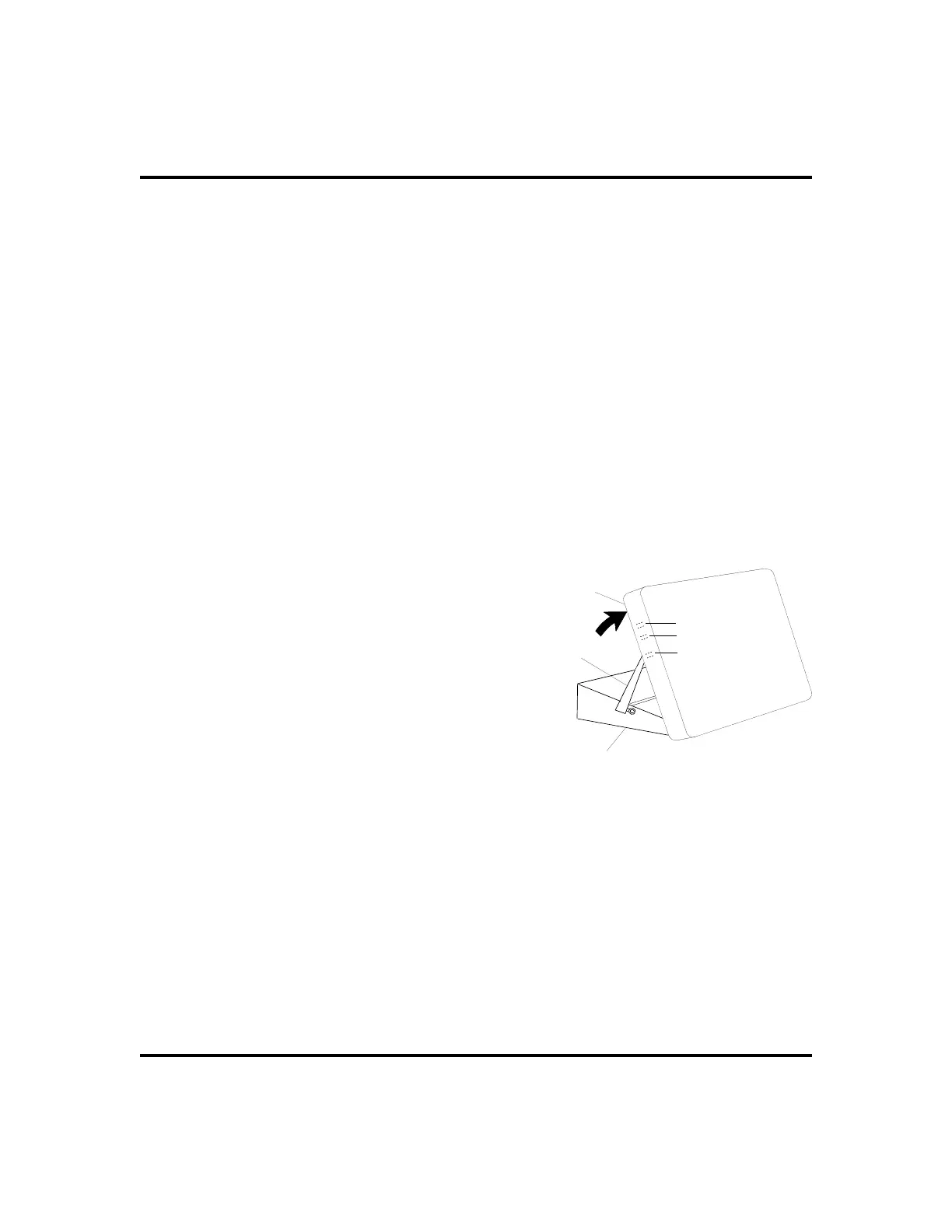
If you are using an Impact SCS model, your telephone has an adjustable pedestal to
allow you to select the most comfortable viewing angle. When you receive the
telephone, the pedestal is in its lowest
position—flush against the pedestal.
• To adjust the pedestal (Impact
SCS Models only),
1. GRASPthe rear of the pedestal base
firmlywith onehandAND LIFTthe
rear portion of the telephone upward
with your other hand.
2. LIFT the telephone upward with
one hand AND RAISE the
telephone supporting arms upward
with your other hand. (Notice there
are three sets of notches under the
telephone corresponding to the three positions available.)
3. When the telephone is at the desired height, SELECT the closest
pair of notches AND INSERT the supporting arms in the
notches. PRESS DOWN slightly on the telephone until you feel
the supporting arms snap into place.
Also remember, as with any piece of electronic equipment, your telephone may
be damaged by contact with liquids. Please try to place the telephone in an area
that is free from the danger of spills.
2 LCD Speakerphone Station User’s Guide
Getting Started GCA70-258
Telephone
Pedestal Base
Supporting Arm
PED01
First Notch
Second Notch
Third Notch
(For Highest Position)
Adjusting The Pedestal












 To Next Page