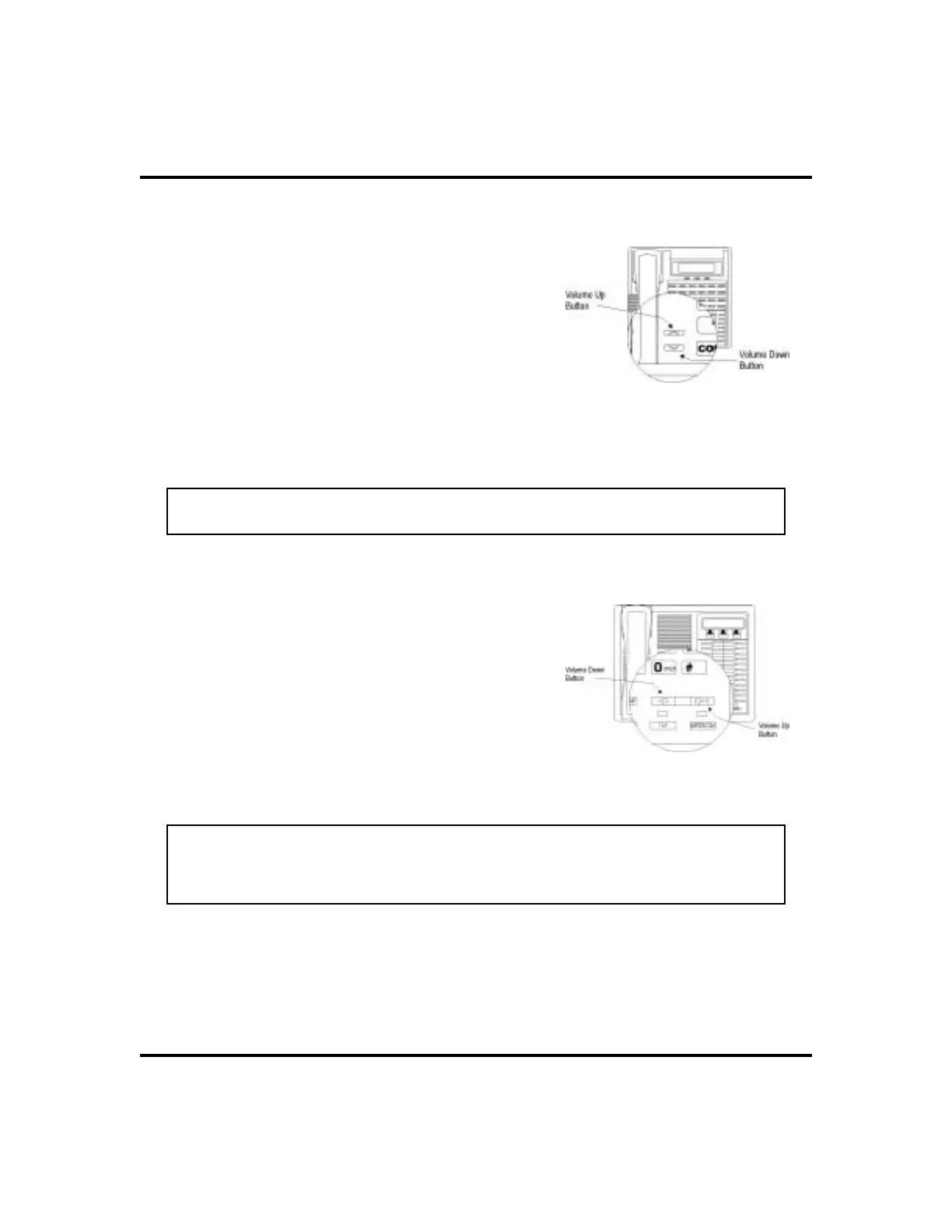
Setting Volume Levels
Thevolumecontrol on your telephone is a multipur
-
pose control you can use to set the volume
(loudness) of the ringer, the speaker, and the
handset.
•
To set the ringer loudness level,
1. While your telephone is on-hook and
idle, PRESS the VOLUME UP OR
VOLUME DOWN button once for each
change in loudness you desire. The
ringer sounds once for each change as
an example of the current setting.
NOTE: If you set the ringer to the
OFF
position, your telephone sounds a short
ring burst once for each call you receive at your station.
•
To set the speaker and handset
loudness levels,
1. PRESS INTERCOM button.
2. PRESS the VOLUME UP OR VOLUME
DOWN button once for each change in
speaker volume that you desire.
3. LIFT handset.
4. PRESS the VOLUME UP OR VOLUME
DOWN button once for each change in
handset volume that you desire.
NOTE: When a call ends, the system resets the speaker and handset volume of
all future calls to the programmed (default) setting. For instructions in setting
yourspeakerphone’s default volume, see Volume Control section in the system
specific Features chapter.
4 LCD Speakerphone Station User’s Guide
Getting Started GCA70-258
Impact SCS Volume Buttons
Impact Volume Buttons












 To Next Page