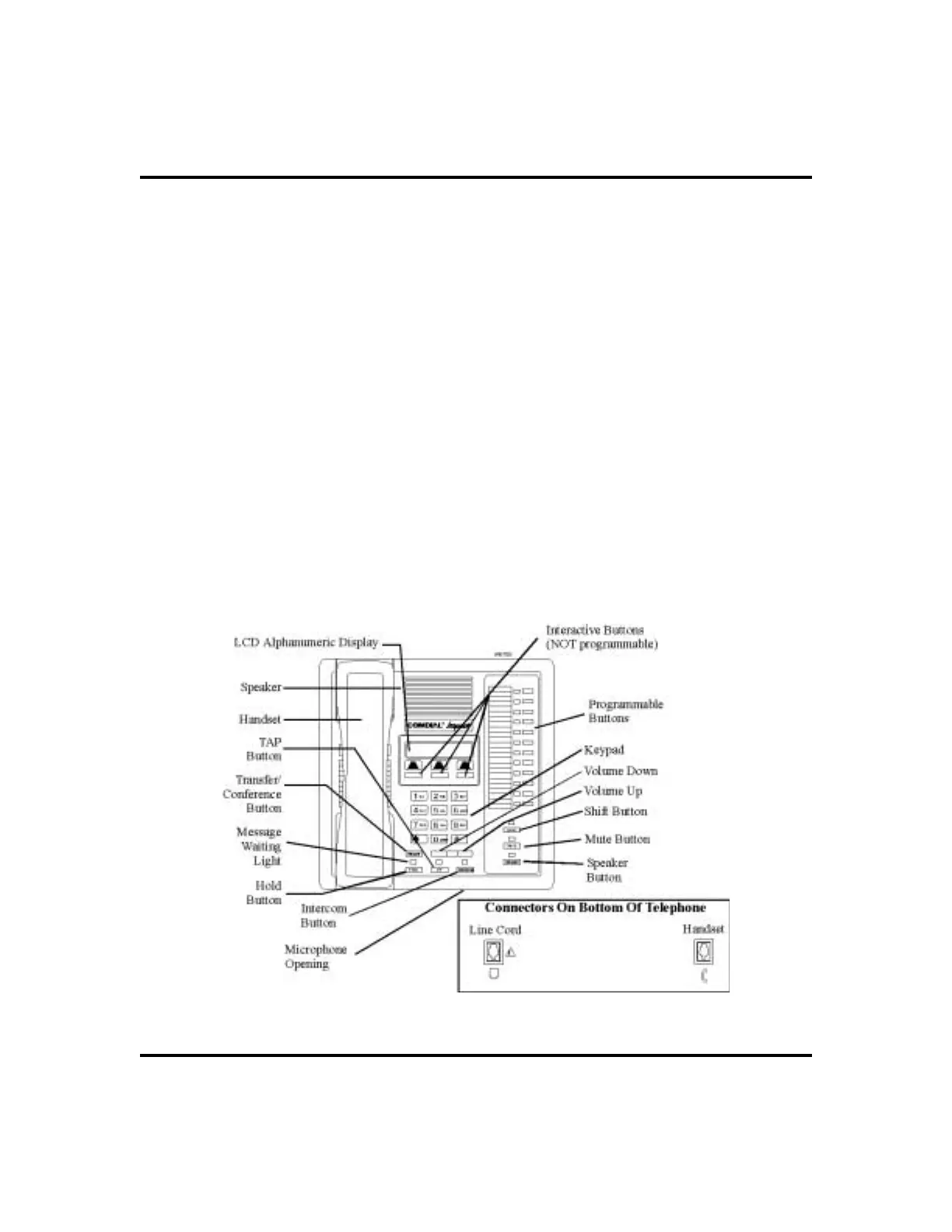
Speaker Button (SPEAKER)
•
Turns your speaker on or off
•
Disconnects a call when you are on a hands free call
•
Ends or cancels programming
Tap Button (TAP)
•
Recalls dial tone or generates a hookflash
•
Retrieves held calls or last call placed on hold
Transfer/Conference Button (TRNS/CNF)
•
Transfers calls
•
Sets up conference calls
Volume Control (VOLUME UP or VOLUME DOWN)
•
Regulates the volume of the ringer, speaker, handset, headset, background
music, and group listening mode
LCD Speakerphone Station User’s Guide 9
GCA70-258 Getting Started
Impact 8012S-** LCD Speakerphone












 To Next Page