Example 1:Input file name “FTS”
(1) Press【SFT】to come in the inputting letters mode, there will be
the letter “a” displayed on the right of the screen.
(2) Press 【2】three times, and then input the “F”。
(3) Press【】 to move the curser to the right, press 【7】 twice
and input the letter “T”.
(4) Press 【】 to move the curser to the right, press 【7】 once
and input the letter “S”.
(5) Press 【
】to confirm it.
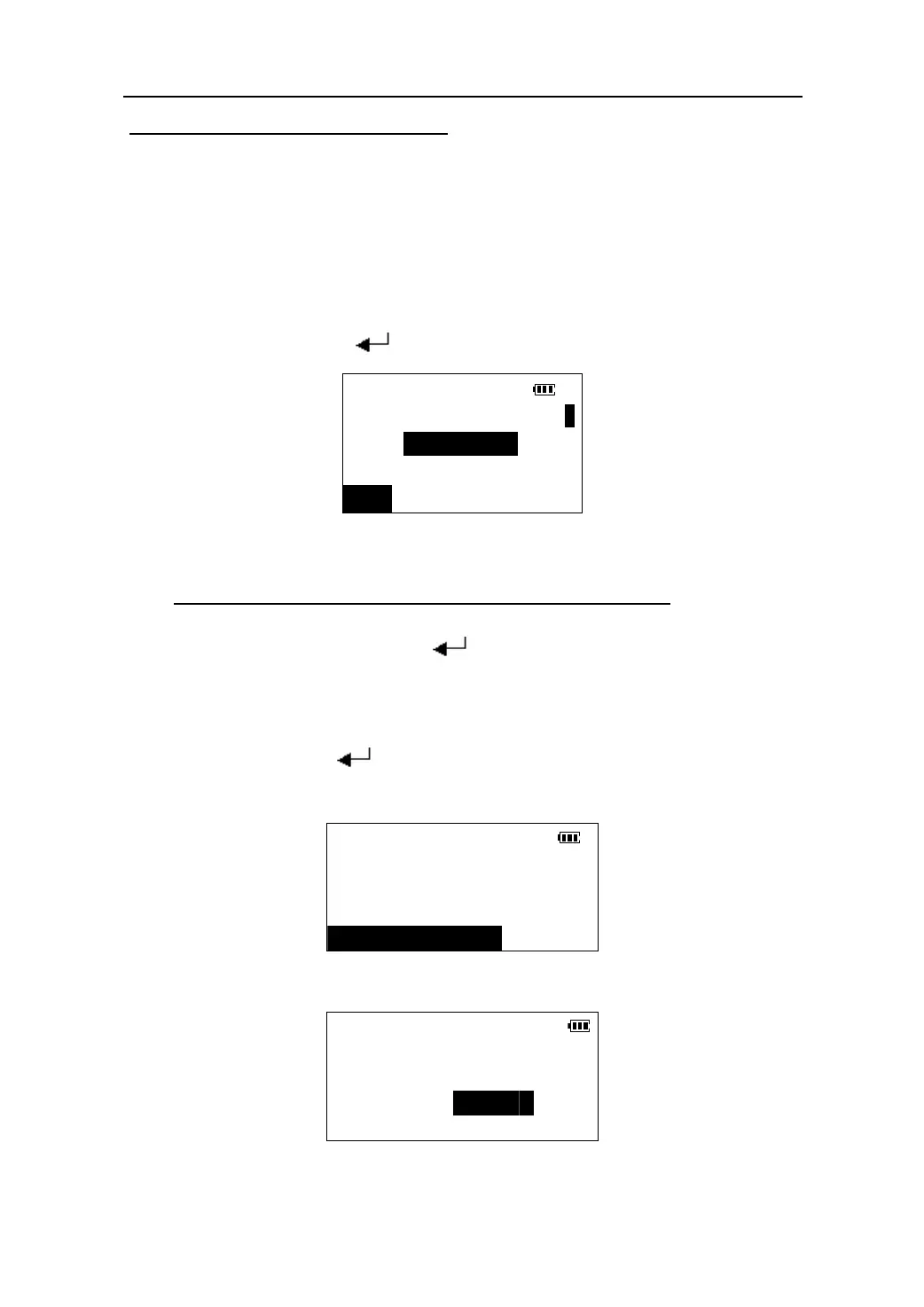
Select a job
a
JOB: FTS
LIST
Example 2:Set the unit of air pressure as “mmHg”:
(1) In the config. mode , Press 【】/【】to move the cursor
to “4.Unit”. Press【 】to confirm it.
(2) Press 【】/【】to move the cursor to “Pres. unit”
(3) Press 【】/【】to move the cursor and select the unit
“mmHg”.
(4) Press【
】to confirm it and then exit.
CONFIG
1.Obs. condition
2.Instr. const
3.Key function
4.Unit
Ang. unit *deg
Dist. unit *m
Temp. unit *℃
Press. unit mmHg
8






 To Next Page