Display
Operating Keys
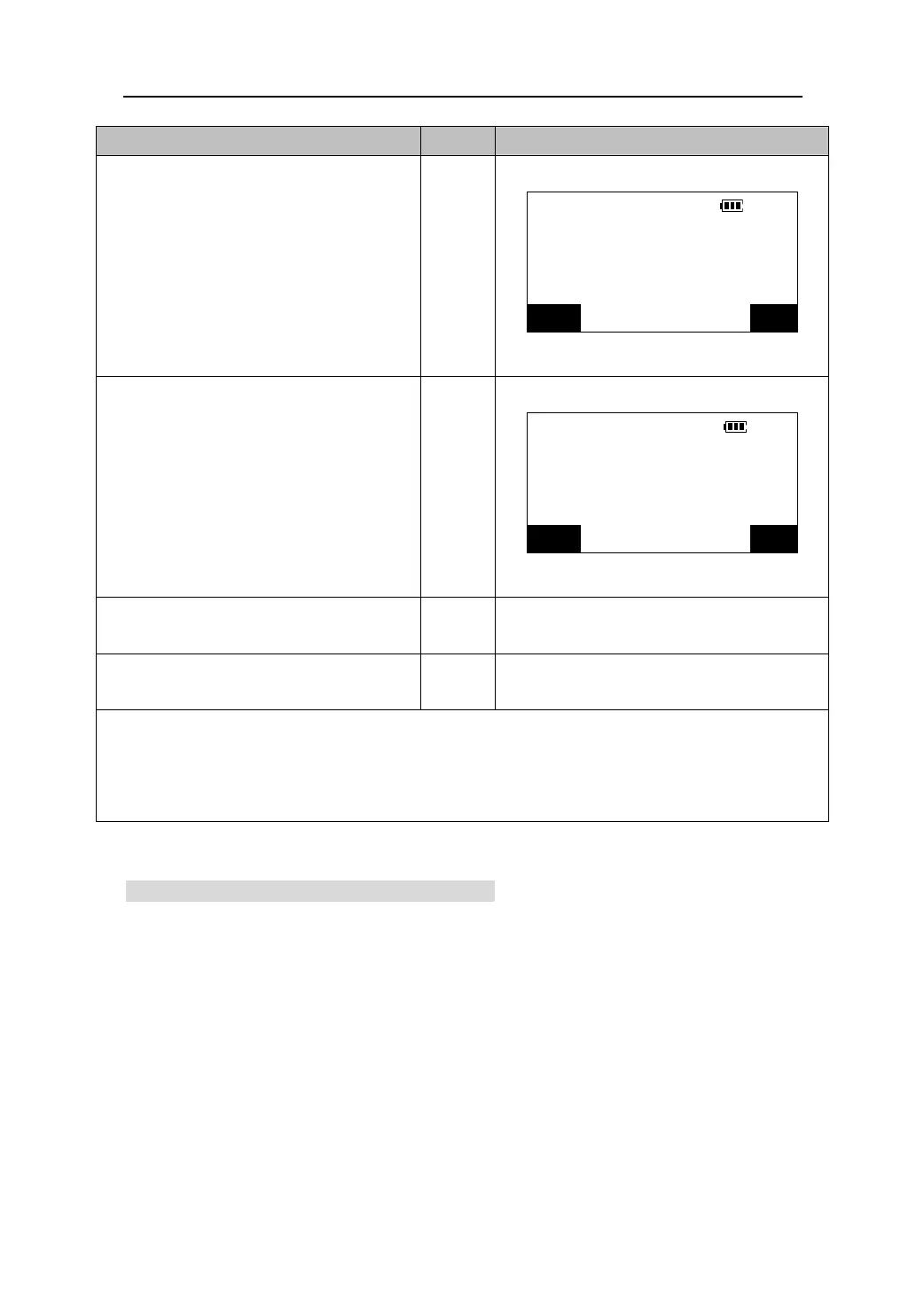
4.Sight the target point 1 again, and press
【OK】.
HARp:
30°00′00″
Reps:
1
vg:
30°00′00″
【OK】
Take 1st target
CE OK
5.Sight the target point 2 again, press
【OK】The added value of the horizontal
HARp:
60°00′02″
angle is displayed on the first line
Reps:
2
“HARp” and the average value of the
vg:
30°00′01″
【OK】
horizontal angle is displayed on the
Ta ke 2n d t arg et
third line “AVG”.
CE OK
6.Repeat the step 4 to 5, and continue the
measurement process.
7.When the measurement is completed,
【ESC】
press【ESC】.
z Pressing 【REP】in the Meas mode performs the same function. Please see “22.3.1 defining
softkeys”.
z Press 【CE】to cancel last measurement and redo it.
z The maximum number of angle measurements that can be made is 10.
10.6 Outputting angle measurement data
1. Connect the total station to a computer.
2. Define【SEND】in the Meas mode(Please see “22.3.1 defining softkeys”),and set
the communication baud rate(Please see “22.2 instrument configuration”).
3. Sight the target point.
4. Press 【Send】to output the observed data to the computer.
23











 To Next Page