Display
Operating Keys
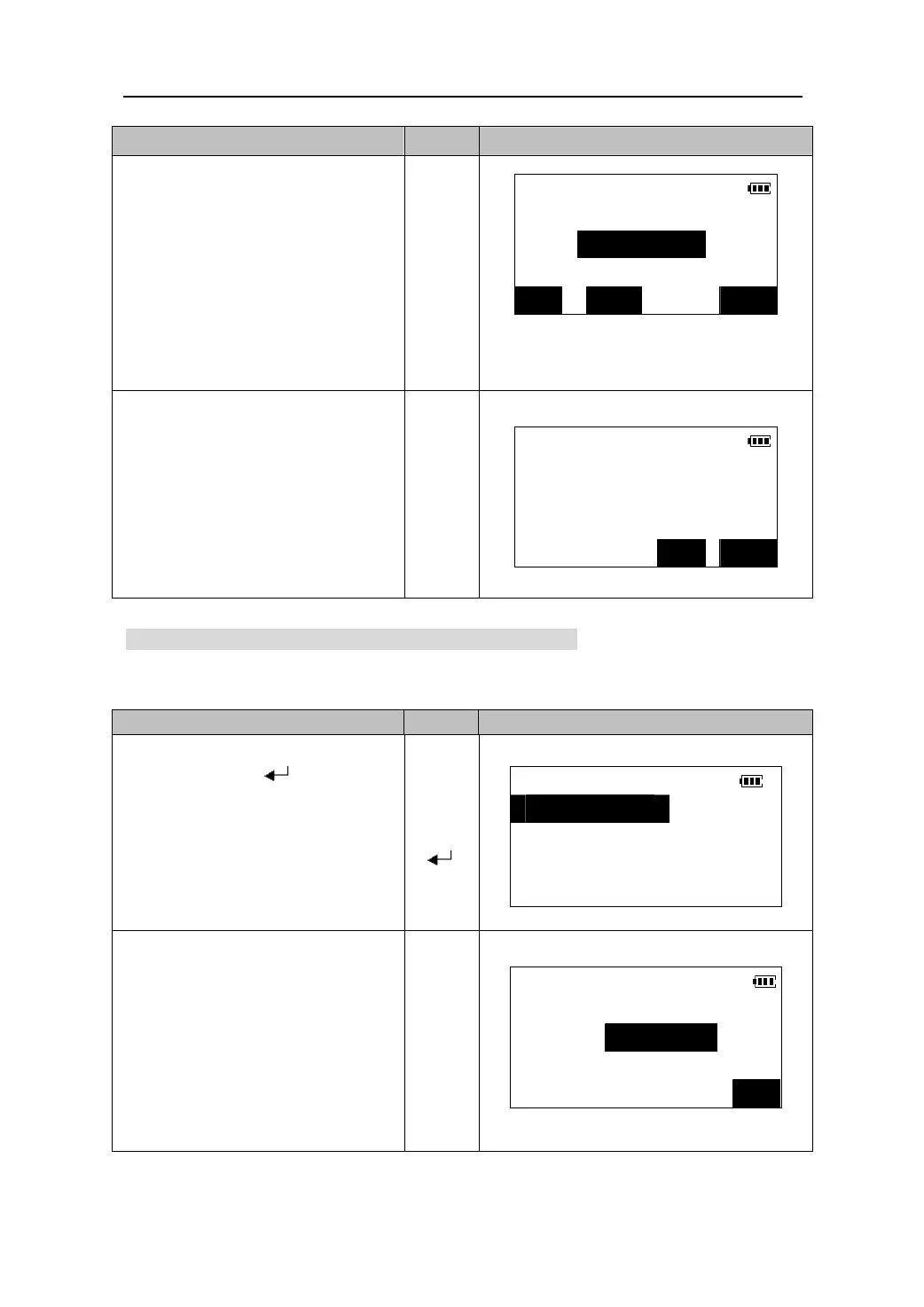
3. Input the coordinates of the backsight
point and press 【OK】.
Set H angle/BS
z When you wish to read in and set
coordinate data from memory, press
【READ】.(Please see “12.1.2
Reading in registered coordinate
data”).
N<m>: 248.695
E<m>: 176.254
Z<m>:
12.3 Inputting the height of instrument and target
If you wish to measure the Z coordinate,the height of the prism and the instrument
must be entered.
z Press 【STN】to input the
coordinates of the instrument
station .See“12.1 Inputting
instrument station coordinate”
【OK】
READ STN OK
4. Calculated azimuth angle is displayed.
Sight the backsight point and press
【YES】 to complete setting and return
to <COORD> menu.
Set H angle/BS
H angle: 99°43′13″
【YES】
Take backsight?
NO YES
O
eratin
Ke
s Dis
la
1. Select “4. Ins.h &
gt.h” in <COORD>
menu, and press 【 】to come in the
screen of inputting the prism height
and instrument height.
COORD
In the third page of the Meas mode,
press 【HT】to perform the same
function.
【】
【】
【
1.Observation
2.Stn. data
】
3.Stn. orient
4.Ins.h&Tgt.h
2. Input the height of the prism and the
instrument, press 【OK】confirm the
data and return to <COORD> menu.
Ins.h & tgt.h
Tgt.h<m>:1.50
Ins.h<m>: 1.35
【OK】
OK
33











 To Next Page