4. Press 【PT2】.Input the coordinate of the
19.2 Setting-out line point
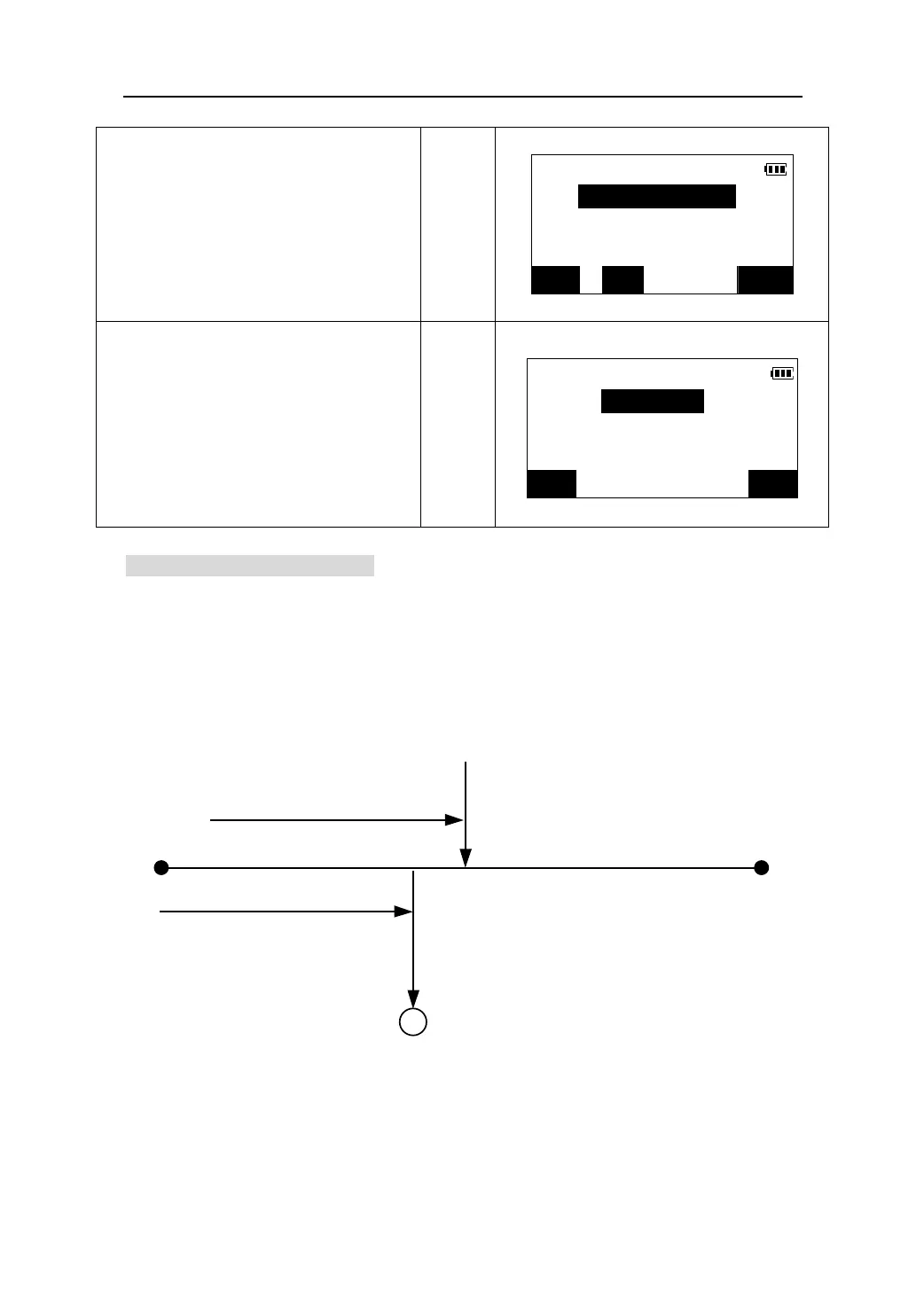
This function can be used to calculate the required point coordinate by inputting the
length and the offset based on the baseline, then this point can be set out by
setting-out coordination measurement.
Before performing setting-out line point, the baseline must be defined.
X direction
Y direction
Length
Offset
2nd Pt
Origin
Baseline
Required point
second point at baseline.
Baseline 2nd pt.
N<m>:
z To recall the coordinate data registered in the
memory, press 【READ】.(Please see “12.1.2
Reading in registered coordinate data”).
E<m>:
【PT2】
Z<m>:
z Press 【REC】to record the coordinate data in
the memory
.
READ REC OK
5. After inputting the data, press 【OK】.
he azimuth and the grade of the baseline
Baseline direc.
are calculated and displayed.
Direc: 45.3532
Press 【OK】to define the baseline and
return to <S-O LINE> menu.
【OK】
Slope: 9.5428﹪
PT2 OK
65











 To Next Page