5. Press 【OK】. The distance and angle
of the target point are calculated and
Offset/Target
displayed.
z Press 【REC】to record the result. (Please see
“21.1 Recording distance measurement
data”).
S 263.683m
ZA 89°53′10″
HAR 50°26′42″ P1
REC
14.2 Angle Offset Measurement
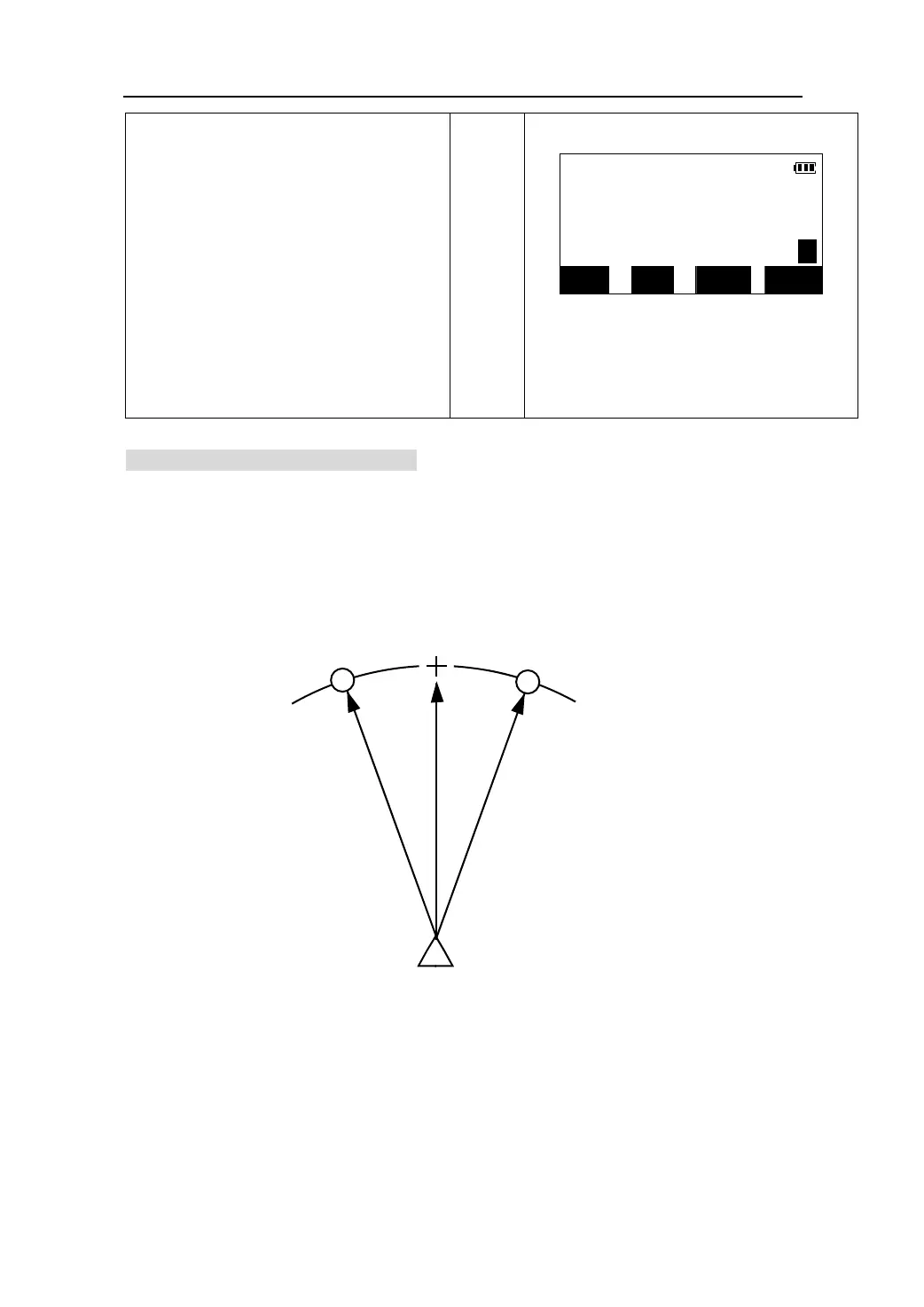
Position the prism pole on the offset points either on the right or left side of the object
as closely as possible remembering the note about the angle between Instr. Point and
Offset Point and Offset Point and Target Point being as close to 90degrees as possible.
Then measure the distance to the offset points and the horizontal angle of the target
point.
Target Point
Offset Point
Offset Point
Instrument Station
z Press 【SFT】to switch the screen display from
distance values to coordinates values.
z Press 【NO】to return to display the previous
distance and angle.
z Press 【YES】to return to <Offset> menu.
【OK】
SFT NO YES
47











 To Next Page