15
9.FUNCTION IN THE STAR (★)KEY MODE
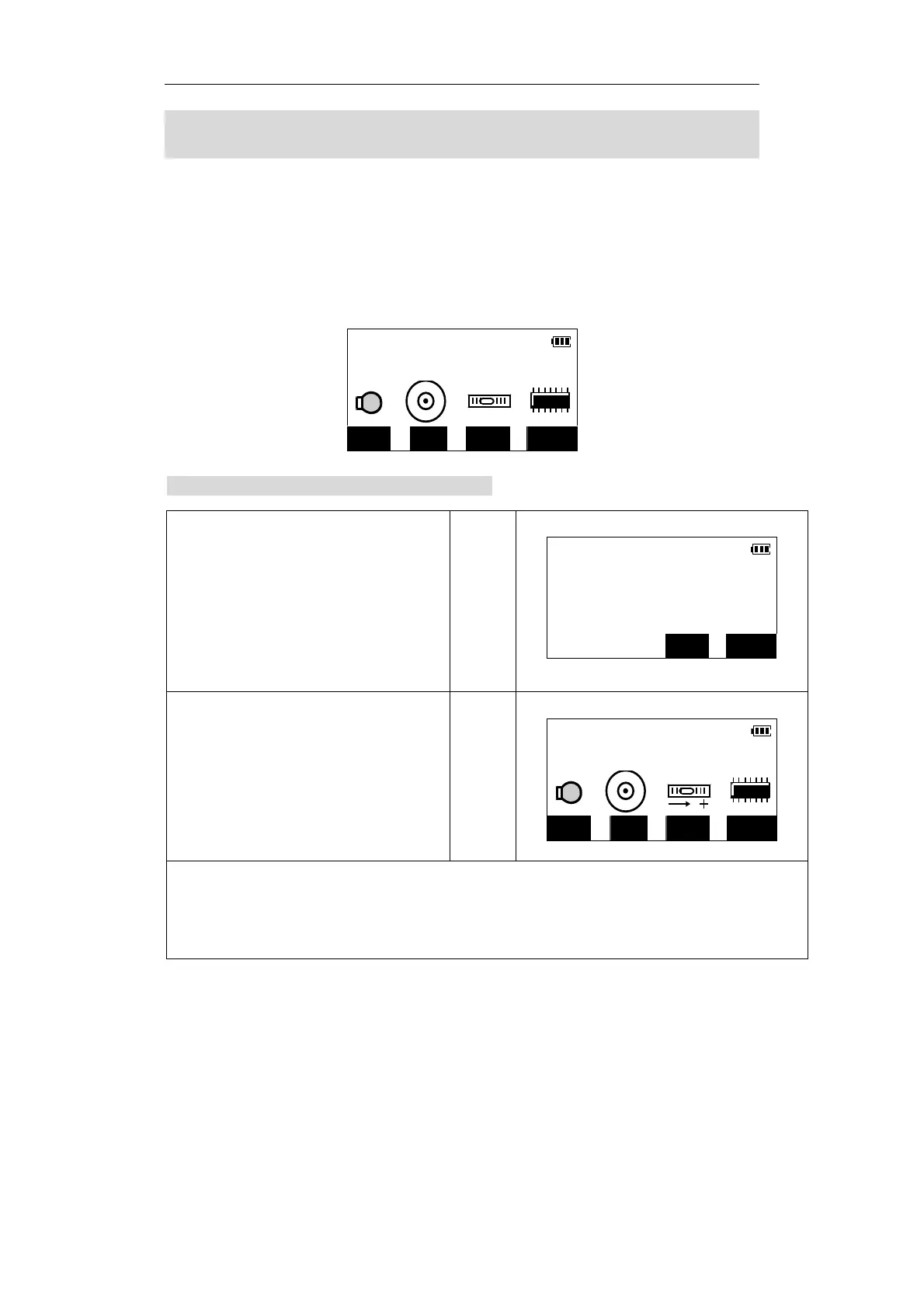
At any mode, pressing 【SFT】and 【★】can enter the star key mode. In this mode
you can do this:
【F1】——on / off the light of the screen.
【F2】——power on / off the laser plummet.(for instruments with laser plummet)
【F3】——on / off tilt angle compensation.
【F4】——check the memory status.
9.1 Tilt angle display and compensation
Instr. Func
?
ILLU LDPT TILT MEM
1.Press 【TILT】 to enter the screen that will
display the tilt angle and compensation.
Tilt angle value in X (sighting) direction is
displayed on the screen.
z If the value over 3′,it will display “out
of range”.
【TILT】
TILT_X
-0°00′26″
Turn on correction?
NO YES
2. Press 【YES】to turn on correction and
return to the star key mode screen. Then
the instrument will compensate the tilt
angle.
【YES】
Instr. Func
?
ILLU LDPT TILT MEM
z Setting “Tilt crn” of “Obs. condition” in confi
mode can turn on or off tilt an
le correction
also, and the setting remains even when the power supply is cut off.
z The range of the compensator is: ±3′.



 To Next Page